Campaign Statuses and the Campaign Switch
What Draft, Scheduled, Active, Paused and Ended mean, how to move a campaign between them, and how the Campaign Switch and automatic billing pauses work.
Written By voiceaiwrapper
Last updated 26 days ago
Every campaign has a status that decides whether it can place or take calls right now. You move it between statuses with one button in the campaign header. Separately, the Campaign Switch on the Campaigns list is a master on/off that overrides everything else.
This article explains each status, how to change it, and why a campaign sometimes pauses on its own.
The five statuses
The status shows in the header's Phone Channel card, for example "Outbound · Active". The Calling Status pill next to the campaign name tells you what it's doing right now, such as "Calling window active (Call(s) in progress)" or "Not Calling (Paused Campaign)". See Set the Schedule and Calling Window for the full list.
Change the status
Open your Pod (an engine or provider connection), select Campaigns, and click the campaign. The button next to the Phone Channel card changes with the status:
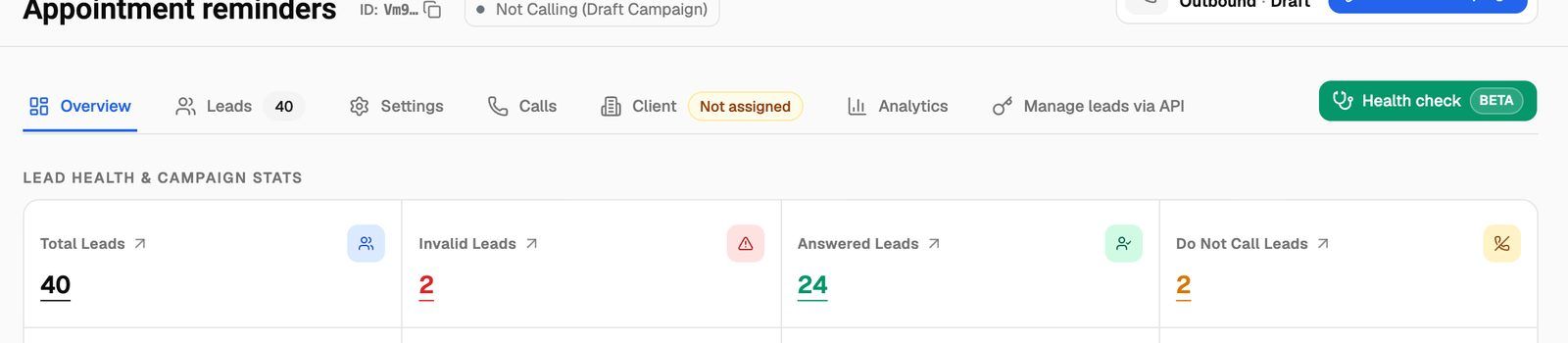
A confirmation appears when the status changes. Starting a campaign places real calls, which use provider minutes or, on VAW Native, AI credits.
To start calling today, set the start date to yesterday or earlier and click Activate Campaign. If the start date is today and the daily start time has already passed, Schedule Campaign also makes the campaign Active right away.
Schedule Campaign, Activate Campaign and Resume Campaign are greyed out until the campaign is complete. Hover the button to see why:
- "Please fill in all required fields (Assistant, Time Settings, Days of Week, Phone Number, and Start Date)"
- "Campaign is disabled": the Campaign Switch is off (see below).
Inbound campaigns on ElevenLabs and Bolna have no status button. Your provider handles when that number answers, not a campaign schedule.
Settings are locked while Active or Scheduled
While a campaign is Active or Scheduled, the Settings tab shows "Settings are locked in the current campaign status." and Save Settings is disabled. Pause an Active campaign, or move a Scheduled one to Draft, make your changes, then start it again.
The Campaign Switch
The Campaign Switch column on the Campaigns list is a power switch for each campaign. A campaign can be fully set up and visible while the switch is off, but no calls happen until you turn it on.
Only your team can flip the switch. Clients who can see the campaign in their portal see it read-only.
If you're already at your plan's campaign limit, turning a switch on opens an upgrade prompt instead. Turn another campaign's switch off first, or upgrade. See Plan Limits and Upgrade Prompts.
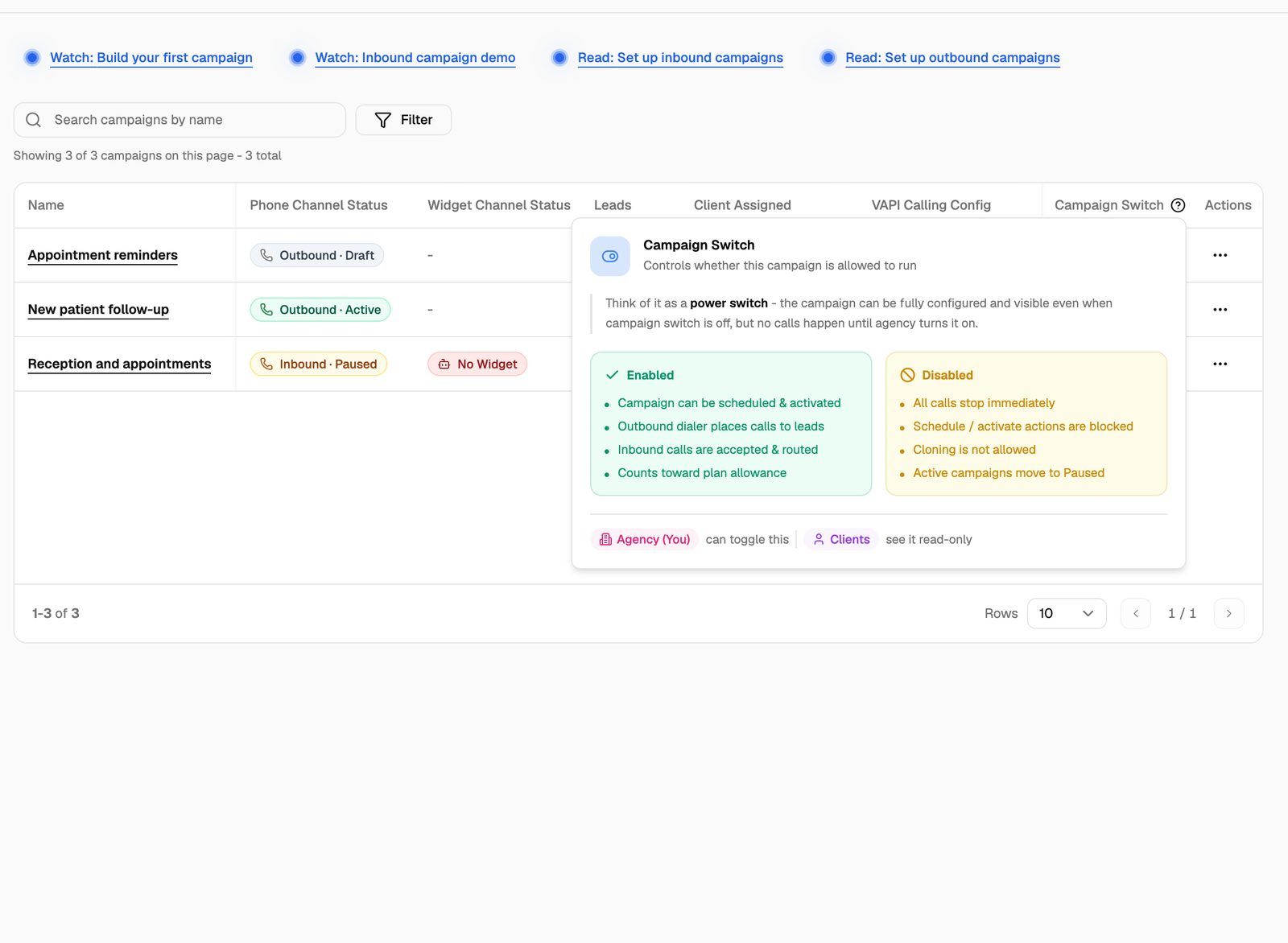
Turning the switch back on doesn't restart a paused campaign. Click Resume Campaign on the campaign afterwards.
When a campaign pauses by itself
Paused due to billing
If a campaign is assigned to a client and that client's billing fails, VoiceAIWrapper pauses the client's campaigns. This happens when the client runs out of minutes, an external-billing invoice is overdue, or a Stripe payment fails. Active campaigns move to Paused and show a red Paused due to billing badge. Scheduled campaigns move back to Draft. If client emails are set up, the client also gets an email about the paused campaigns.
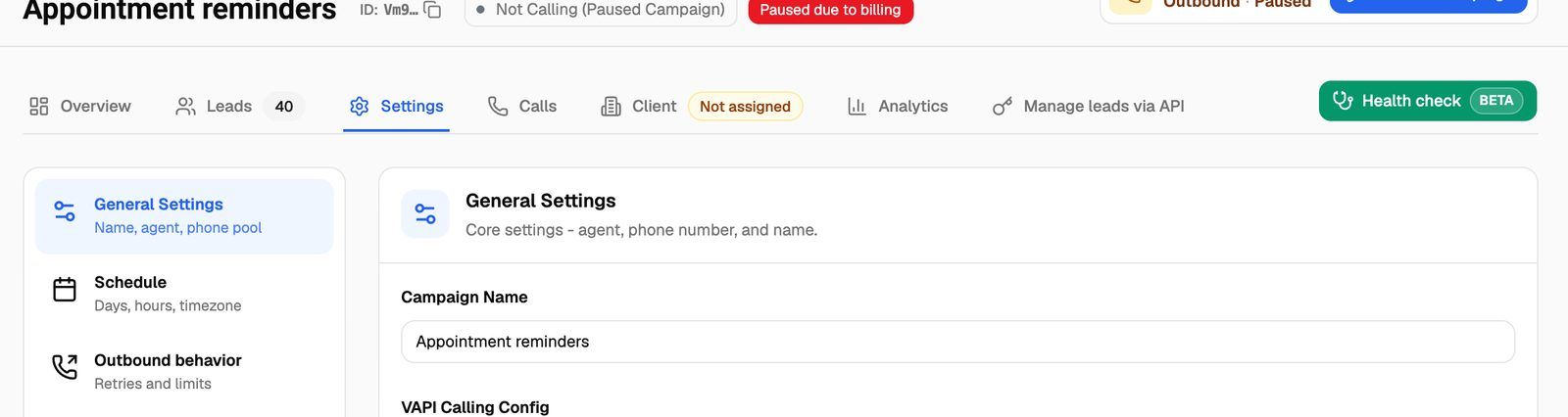
When the client pays, the campaigns go back to how they were: Active again, or Scheduled again. You can override the pause by clicking Resume Campaign yourself. Your client can't resume it from their portal while the billing pause is on. See What Clients See When Payment Is Due.
Paused, out of credits (VAW Native)
On a VAW Native Pod, if your organization runs out of AI credits, the header shows Paused, out of credits. Add credits to continue. The campaign status doesn't change, but it stops dialing and answering. The badge clears and calls continue on their own once you add credits. See What Happens When You Run Out of Credits.
Other automatic pauses
- Your own subscription is paused. Active campaigns move to Paused and Scheduled campaigns move to Draft. They don't restart when your subscription resumes. Start the ones you want again.
- VAW Native agent or number is gone. If the campaign's agent or phone number is deleted or can't be used, the campaign pauses instead of failing on every lead.
VAW Native inbound campaigns hold their number
On VAW Native, an inbound campaign takes over its phone number while it's Scheduled, Active or Paused. Calls to that number follow the campaign, not the number's own agent. If the campaign can't take the call, for example because it's Paused, the call is refused rather than handed back to the number's own setup. Draft and Ended campaigns release the number. See Choose Who Answers a Number.
Pausing a VAW Native inbound campaign doesn't send calls back to the number's own agent. Callers are turned away until you resume the campaign, or move it to Draft or let it end.
Troubleshooting
I see "Unable to update the campaign status".
I see "Unable to update the campaign status".
The change wasn't allowed. Common reasons:
- A VAW Native inbound number is already in use. Another inbound campaign holds the same number. End that campaign, move it to Draft, or pick a different number.
- A number in a VAW Native pool can't be used, or is held by another campaign. Check the pool's numbers.
- The Pod is disabled because its BYOK add-on wasn't paid. Buy a BYOK connection again to use it. See Add-Ons: BYOK Connections, Client Accounts and Team Members.
The Schedule or Resume button is greyed out.
The Schedule or Resume button is greyed out.
Hover it to see the reason. Either a required field is empty (agent, calling window, days, phone number or start date), or the Campaign Switch is off.
My campaign shows Ended, but I want it to keep going.
My campaign shows Ended, but I want it to keep going.
Click Reactivate Campaign and confirm. The end date is removed and the campaign moves to Paused. Set a new end date on the Settings tab if you want one, then click Resume Campaign.
The campaign is Active but isn't calling anyone.
The campaign is Active but isn't calling anyone.
Check the Calling Status pill. Outside the calling window or on a day not in the schedule, an Active campaign waits. If no leads have attempts left, it has nothing to dial. See My Outbound Campaign Isn't Calling.
Related articles
Was this helpful?
Still need help? Share an idea