Call Settings: Recording, Silence Timeout and Maximum Call Length
Set how long a VAW Native agent's calls can last, whether they're recorded, and when the agent hangs up on a silent line.
Written By voiceaiwrapper
Last updated 26 days ago
The Call Settings tab sets the ground rules for every call your agent takes: how long a call may last, whether it's recorded, and when the agent should hang up on a silent line. These limits protect your AI credits from calls that never end, such as a voicemail box or a dropped line that stays open.
Applies to: agents on a VAW Native Pod (an engine or provider connection). For Vapi, Retell AI and ElevenLabs agents, these limits are set in the provider's own account.
Before you start
- An agent on a VAW Native Pod. See Create an Agent from Scratch.
- A rough idea of how long a normal call takes, for example a booking or a support question.
Open Call Settings
- In the sidebar, open Agents and click your agent.
- Open the Call Settings tab.
- Change the settings below, then click Save changes at the top of the page or on the Unsaved changes bar. New calls use the new settings.
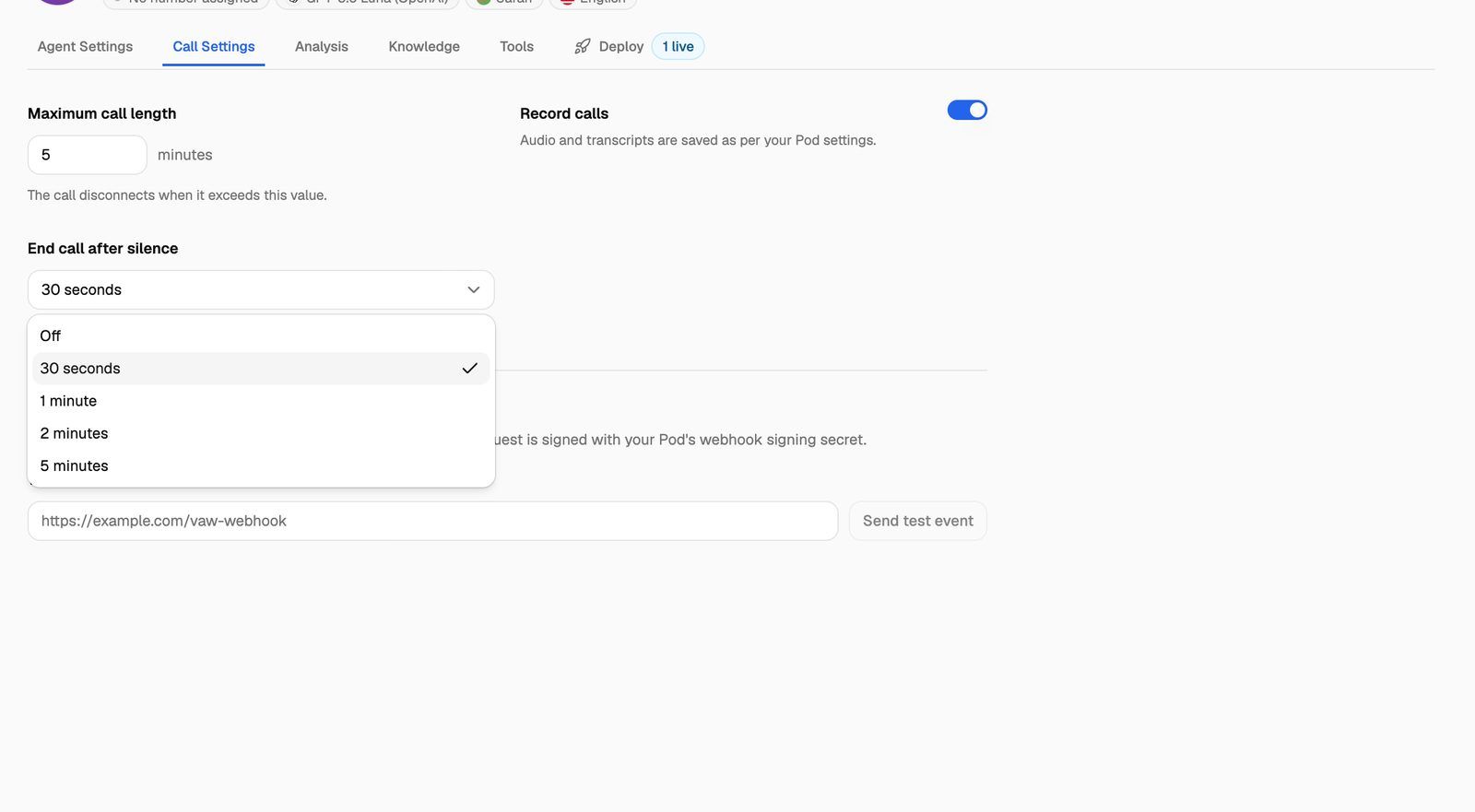
The settings at a glance
Maximum call length
The longest a single call can last, in whole minutes, from 1 to 240. As the tab says, the call disconnects when it exceeds this value.
The agent doesn't cut the caller off mid-sentence. About 20 seconds before the limit, it politely wraps up in one short sentence, says goodbye and hangs up. In Call Logs, the call's end reason shows Exceeded max duration.
How to choose a value:
- Time a few typical test calls and add a comfortable margin. If most bookings take 3 minutes, 5 to 8 minutes is a sensible limit.
- Raise it for agents that handle long conversations, such as detailed intake calls or surveys.
- Keep it low for short tasks such as reminders, so a call that goes off track ends quickly.
Every minute of a call uses AI credits. A higher limit doesn't cost anything by itself, but it lets a stuck or off-track call run up more minutes before it ends. See How AI Credits Work.
If the call has been transferred to a person, the limit still applies, and it counts the whole call, including the time before the transfer. In that case the call closes without the agent speaking, since the agent is no longer part of the conversation. Set a higher limit for agents that transfer callers to your team. See Transfer Calls to a Person.
Record calls
When Record calls is on, the call audio is recorded and you can play or download it from the call in Call Logs. When it's off, no audio is recorded and the call's recording shows Not recorded. On outbound calls, recording starts when the callee answers, so ringing isn't recorded.
How long recordings and transcripts are kept is set once per Pod, not per agent:
When a recording reaches the end of its retention period, the audio is deleted but the call and its transcript are kept. When a transcript expires, the transcript and the call's knowledge base lookups are deleted, and the call record itself stays. You change both in your Pod's settings. See Manage Pods: Rename, Update Keys, Switch and Delete and Data Retention: Recordings, Transcripts, Logs and Exports.
Recording laws differ between countries and states. Some require you to tell callers they're being recorded. If that applies to you, add a short notice to the agent's greeting. See Write the Prompt and Greeting.
End call after silence
How long the agent waits before hanging up when the caller goes quiet. If the caller says nothing for the chosen time, the agent says one short, polite goodbye and ends the call. In Call Logs, the end reason shows Silence timed out.
The timer only starts once the caller has been heard on the line, so ringing doesn't count. It also pauses while a call is being transferred, because the caller is listening to hold music or talking to a person.
How to choose a value:
- 30 seconds suits most agents. It ends calls that reach a voicemail box or a line left open, without rushing a real caller.
- 1 minute or 2 minutes suits callers who may step away, for example to find a booking reference.
- Off means only the maximum call length ends a silent call. Use it only if you have a reason to keep quiet lines open.
VAW Native doesn't detect voicemail yet. A silence timeout is the main way to stop a call that reached voicemail from running to the maximum call length.
The agent can also end calls itself when the conversation is finished. That's the End conversation tool. See End the Conversation Automatically.
Webhooks
The Webhooks section at the bottom of the tab sends this agent's call events to your own server. See VAW Native Agent Webhooks: Events and Delivery.
Frequently asked questions
Calls are cut off before the conversation is finished.
Calls are cut off before the conversation is finished.
Check Maximum call length. The agent starts wrapping up about 20 seconds before the limit. If the end reason in Call Logs is Exceeded max duration, raise the limit and save.
The agent hangs up while the caller is still there.
The agent hangs up while the caller is still there.
If the end reason is Silence timed out, the caller was quiet for longer than your End call after silence setting. Choose a longer value, such as 1 minute, and save.
A call has no recording.
A call has no recording.
Check that Record calls was on when the call took place. If it was on, the recording may still be processing, may have failed, or may have been deleted by your Pod's retention setting. The call in Call Logs shows which. See Call Details: Transcript, Recording, Analysis, Variables and What Ran.
An agent shows "Off" for End call after silence.
An agent shows "Off" for End call after silence.
Agents created before the 30-second default was introduced, and agents your clients create in their portal, start with no silence timeout. Choose a value and save.
Related articles
Was this helpful?
Still need help? Share an idea