Connect Your Twilio Account to VAW Native
Link your Twilio account so your VAW Native agents can use phone numbers. Covers connecting, re-checking, updating credentials and disconnecting.
Written By voiceaiwrapper
Last updated 26 days ago
VAW Native agents answer and place phone calls through your own Twilio account. You connect that account once, and then you can buy new numbers or bring in numbers you already have. Twilio bills you directly for numbers and calls. VoiceAIWrapper doesn't add anything to those charges.
Applies to: VAW Native Pods. Twilio is the only telephony provider you can connect today. For Vapi, Retell AI and ElevenLabs, see Phone Numbers on Vapi, Retell, ElevenLabs and Bolna.
Before you start
You'll need:
- A VAW Native Pod (an engine or provider connection). See Introduction to VAW Native, the Built-In Voice Engine.
- An active Twilio account. If you don't have one, sign up at twilio.com.
- Your Twilio Account SID and Auth Token. You'll find both in your Twilio Console, under Account Info. The Account SID starts with
AC.
Use your main Account SID, the one that starts with AC. API key SIDs (they start with SK) are refused.
Step 1: Open the connections sheet
- Switch to your VAW Native Pod and open Phone Numbers in the sidebar.
- Click Connected telephony accounts at the top right.
If nothing is connected yet, the page shows a Connect your Twilio account button instead. It takes you straight to the form in Step 2.
Step 2: Enter your Twilio credentials
- Click Connect an account.
- Provider already shows Twilio. There's nothing to choose.
- Under Connection name, keep Twilio or type your own label, such as
Main Twilioor a client's name. The name only helps you tell connections apart. - Paste your Account SID and Auth Token.
- Click Connect.
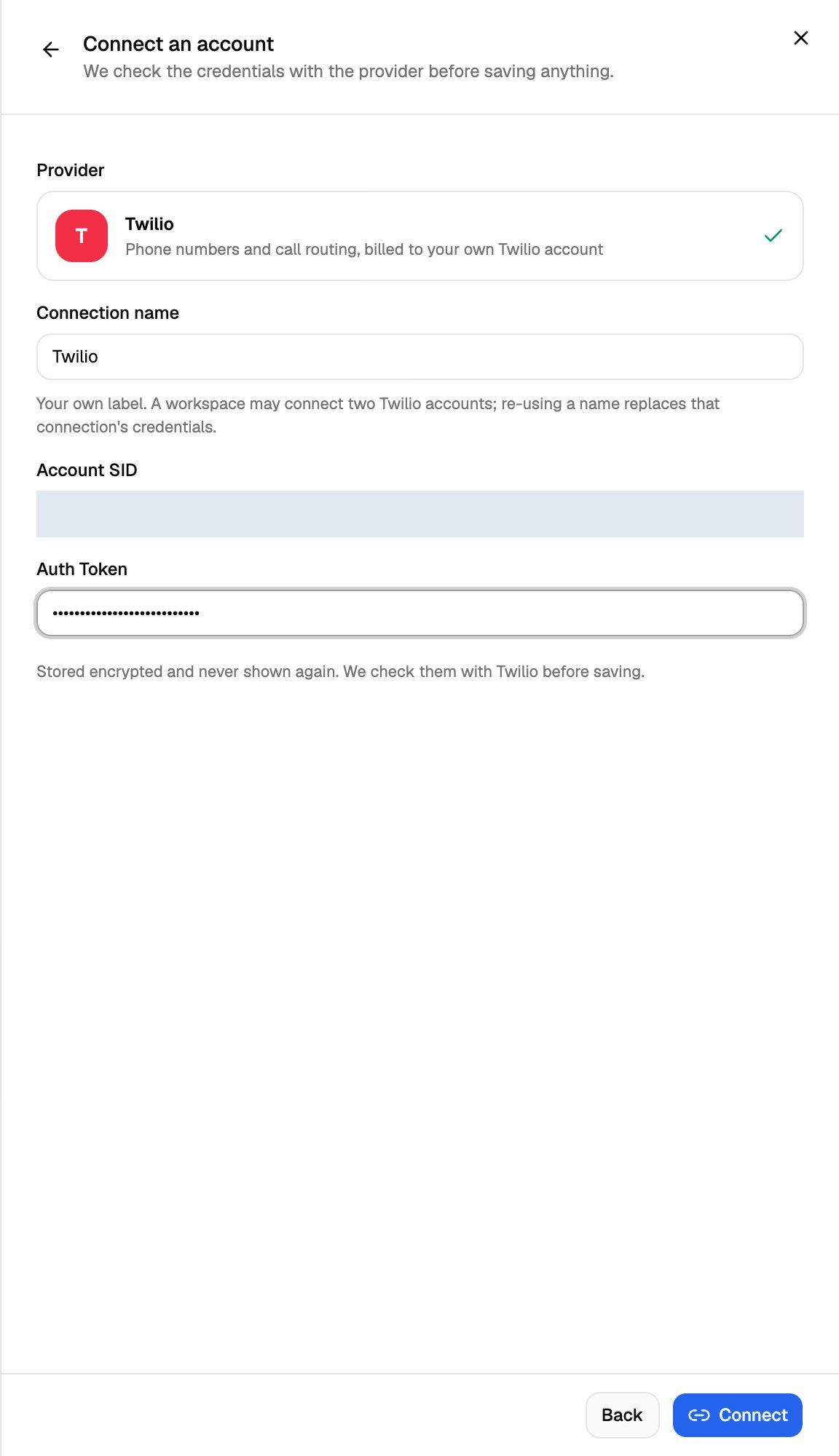
VoiceAIWrapper checks the credentials with Twilio before it saves anything. If they work, you'll see Connected to followed by your Twilio account's name, and the sheet goes back to the list. The Auth Token is stored encrypted and never shown again.
If the check fails, nothing is saved and Twilio's reason appears under the form. See Troubleshooting below.
Step 3: Add your numbers
Once a connection passes its check, Add a number on the Phone Numbers page is enabled. Until then it stays greyed out with the hint "Connect a verified telephony account before adding numbers."
- To buy a number through Twilio, see Buy a New Phone Number.
- To use a number that's already in your Twilio account, see Use a Phone Number You Already Own.
What VoiceAIWrapper changes in your Twilio account
Connecting the account on its own changes nothing in Twilio. Later actions do:
- When you add a number, VoiceAIWrapper points the number's incoming calls at your agent.
- The first time an agent calls out on this connection, VoiceAIWrapper sets up an Elastic SIP trunk named VAW Native in your Twilio account. Outbound calls use it. Don't delete it.
Manage your connected accounts
Open Phone Numbers → Connected telephony accounts to see every Twilio account you've connected. Each card shows the connection name, Twilio, a masked Account SID and how many numbers in this Pod use it.
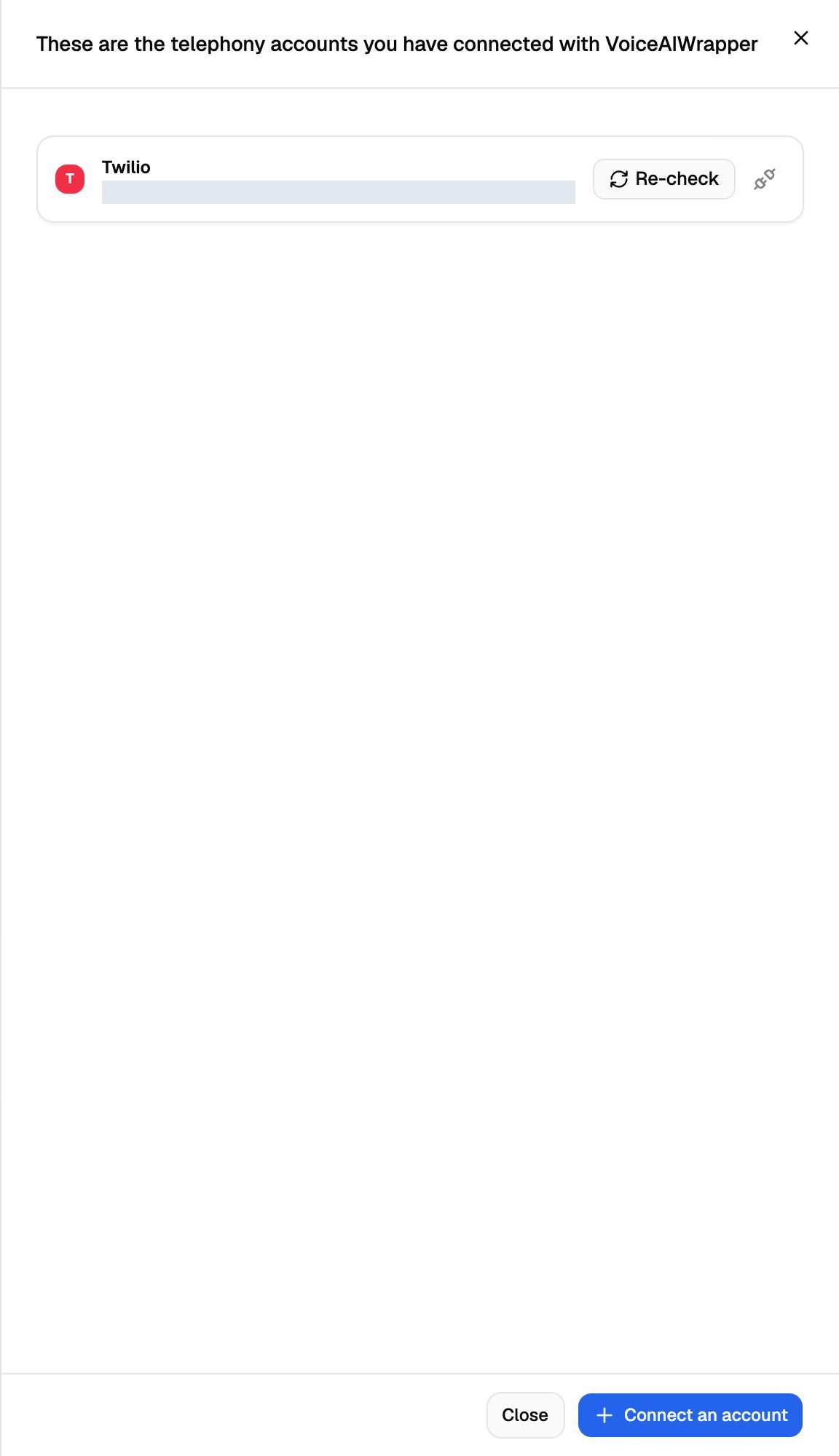
A connected Twilio account belongs to your whole organization, so all your VAW Native Pods can use it. The count on each card only includes numbers in the Pod you're looking at.
Connect more than one Twilio account
Click Connect an account again and give the new connection a different name. This is useful when a client has their own Twilio account and should pay for their own numbers.
If you reuse the name of an existing connection, the new credentials replace that connection's credentials instead of adding a second account. Every number on it then runs on the new credentials.
You can't connect the same Twilio account twice. If you try, you'll see "That Twilio account is already connected as" followed by the existing connection's name.
With more than one connection, the Phone Numbers table gets a Connection column. When more than one of your own connections has passed its check, Add a number also shows a Connection list so you can choose which Twilio account the number comes from.
Re-check a connection
Click Re-check on a card to test the stored credentials with Twilio again. You'll see Verified with your Twilio account's name, or Twilio's reason for refusing.
VoiceAIWrapper doesn't re-check connections on its own. Click Re-check after you change anything on the Twilio side, such as rotating your Auth Token.
Update credentials
If you rotate your Auth Token in Twilio, update it here straight away. Calls to numbers on this connection stop working until VoiceAIWrapper has the current token.
The easiest way is to click Re-check first. When a check fails, a red banner appears on the Phone Numbers page, and the card in the sheet turns red, says "Inbound calls on this connection are being rejected." and shows an Update credentials button.
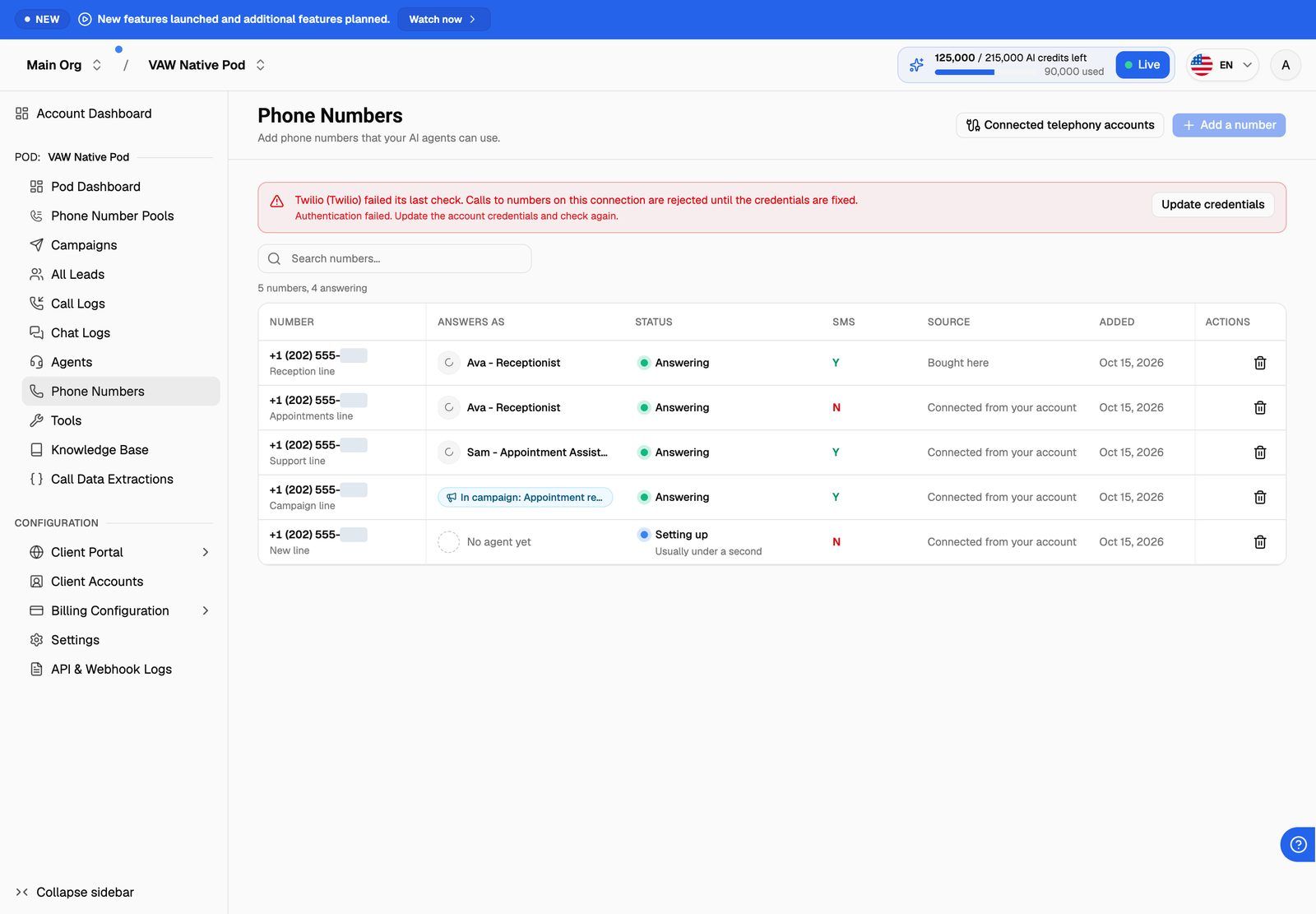
To fix it:
- Click Update credentials on the banner or on the card.
- Paste the current Account SID and Auth Token. The Connection name is locked, so the new credentials replace the old ones on the same connection.
- Click Connect.
Every number on that connection keeps its settings and works again. You don't need to set the numbers up again.
A connection that hasn't failed a check has no Update credentials button. You can still replace its credentials: click Connect an account, type the connection's exact name under Connection name, and paste the new Account SID and Auth Token. Reusing the name replaces the credentials on that connection. This works for your own connections only, not for ones your clients created.
Disconnect an account
Disconnecting makes VoiceAIWrapper forget the credentials. Your Twilio account and every number in it stay as they are, and you can connect the account again later. If your agents have called out on this connection, VoiceAIWrapper also removes the SIP login it added for outbound calls. The VAW Native trunk itself stays in your Twilio account.
- Remove every number that uses the connection first. See Disconnect or Release a Number.
- In Connected telephony accounts, click the disconnect (unplug) icon on the card.
- Read the confirmation and click Disconnect.
While numbers in this Pod still use the connection, the icon is greyed out. Hover over it to see how many. Numbers in your other VAW Native Pods, and custom tools that send with this connection, also block it. In that case you'll see a message saying what still uses it.
Connections your clients created
If you turn on Create connections in a client's Phone Numbers permissions, the client can connect their own Twilio account in their portal. Those connections appear in your list with the client's name and a line saying who created them and that they're billed to the client. When you have both kinds, your own are listed under Yours and the clients' under Created by your clients.
Numbers you add from this page always use one of your own connections. A client's connection isn't offered in Add a number.
You can re-check, update and disconnect a client's connection just like your own. Before you change one, VoiceAIWrapper names the client and explains what changes for them. See Set Client Permissions on VAW Native Workspaces.
Troubleshooting
"That does not look like a Twilio Account SID (it should start with "AC")."
"That does not look like a Twilio Account SID (it should start with "AC")."
You pasted a different kind of ID, such as an API key SID. Copy the Account SID from Account Info in your Twilio Console.
"Twilio rejected these credentials. Check the Account SID and Auth Token."
"Twilio rejected these credentials. Check the Account SID and Auth Token."
The Account SID and Auth Token don't match, or the token has been rotated. Copy both again from the same Twilio account, with no extra spaces. If you've just rotated the token in Twilio, use the new one.
"That Twilio account is suspended, not active." (or another status)
"That Twilio account is suspended, not active." (or another status)
Only an active Twilio account can be connected. Sort out the account status with Twilio first, then connect again.
"That Twilio account is already connected as …" or "… already connected here by someone else."
"That Twilio account is already connected as …" or "… already connected here by someone else."
This Twilio account is already connected in your organization. If the message names a connection, use that one. If you're replacing a rotated token, update that connection instead (see Update credentials above) or connect again using its exact name. "Someone else" means one of your clients connected it in their portal; check Created by your clients in the list.
The disconnect icon is greyed out.
The disconnect icon is greyed out.
Numbers in this Pod still use this connection. Disconnect or release them first, then try again. See Disconnect or Release a Number.
"Add a number" is greyed out.
"Add a number" is greyed out.
No connection has passed its last check. Open Connected telephony accounts and click Re-check, or use Update credentials if the check fails.
Related articles
Was this helpful?
Still need help? Share an idea