Estimate Your Monthly Costs
A step-by-step way to estimate a month of spend: call minutes, chats, engine and model choices, analysis, plus your plan and add-ons, with two worked examples.
Written By voiceaiwrapper
Last updated 26 days ago
Before you take on a client or launch a campaign, it helps to know roughly what a month will cost you. This article walks you through an estimate in five steps: your volume, the engine you'll use, the cost per minute of your agent setup, the extras, and your plan. Two worked examples show the arithmetic. Expect it to take 10 to 15 minutes with your numbers to hand.
Before you start
Have these to hand:
- Expected volume: calls per month and their average length. For outbound campaigns, the number of dials and roughly how many you expect to be answered.
- Expected chats, if your agent will answer chat on a web widget, and roughly how many replies a chat has.
- Your agent setup: which AI model and voice model you'll use, and whether a knowledge base is attached.
Step 1: List what you'll pay and who bills it
Who bills a call depends on the Pod (an engine or provider connection) it runs on.
If you're on a paid plan with monthly AI credits, those credits count against your VAW Native estimate. The Renews line on the Credits card shows how many arrive each period. See How AI Credits Work.
Step 2: Estimate your minutes
Work out the answered minutes you expect each month:
- Inbound: calls per month × average call length.
- Outbound: dials × share answered × average call length.
On VAW Native, a call nobody answers costs no AI credits. VAW Native doesn't detect voicemail yet, so a call answered by voicemail counts as answered. Include some voicemail minutes in an outbound estimate.
Step 3: Work out your cost per minute
On VAW Native
Add up these figures for your agent. The AI model and voice figures are the estimates shown in the agent's AI model and Voice pickers.
For example, a default agent with a knowledge base comes to 60 + 5 + 4.80 + 44.80 + 1.17 = about 115.77 credits per minute. Without the knowledge base it's about 110.77. For every line and its rate, see What a Call Costs on VAW Native.
On a BYOK Pod
Use your provider account's rates. Once you have a few days of real calls, a campaign's Analytics tab gives you Avg. Cost Per Minute and Cost Per Connect from your provider's own reports. See What a Call Costs When You Bring Your Own Provider.
Step 4: Add analysis, extractions and chats (VAW Native)
- Post-call analysis and extractions: runs × the credits/run shown on the agent's Analysis tab. On the default GPT-5 mini, a run is about 0.88 credits. Analysis is one run per analysed call, and each extraction is one more run.
- Chats: 5 credits per agent reply, the greeting included, plus 0.5 credits per reply when a knowledge base is attached, plus the AI model. The model part depends on the conversation, so check the What ran tab of a test chat in Chat Logs to see it.
- Building agents with VAW Assistant: each build in the webapp uses some credits for its AI steps. It's a one-off cost per agent, not a monthly one, and builds during onboarding are free. See Create an Agent with the AI Agent Builder.
Then convert: credits ÷ 1,000 = dollars.
Step 5: Add your plan and add-ons
Add the fixed monthly amounts from Step 1: your plan and any add-ons. Then compare your VAW Native credits with what you already have:
- If your plan includes monthly AI credits, only the amount above that allowance needs top-ups.
- If it doesn't, plan to buy the full amount as top-ups. See Buy Credits and Set Up Auto Top-Up.
Example 1: an inbound receptionist on VAW Native
Assumptions: 400 calls a month, 3 minutes on average, default agent (GPT-5.6 Luna (OpenAI), Flash v2.5) with a knowledge base, analysis on GPT-5 mini and one extraction per call.
On top of that: your plan and add-ons from VoiceAIWrapper, and the phone number and call minutes Twilio bills you.
Example 2: an outbound campaign on VAW Native
Assumptions: 2,000 dials a month, 25% answered, 2 minutes per answered call, an agent on GPT-4.1 mini (OpenAI) (about 2.51 credits/min) and Eleven v4 Turbo (about 44.80), no knowledge base, analysis on GPT-5 mini, no extractions.
On top of that: your plan and add-ons, and Twilio's charges for the numbers and outbound minutes.
Sanity-check your estimate
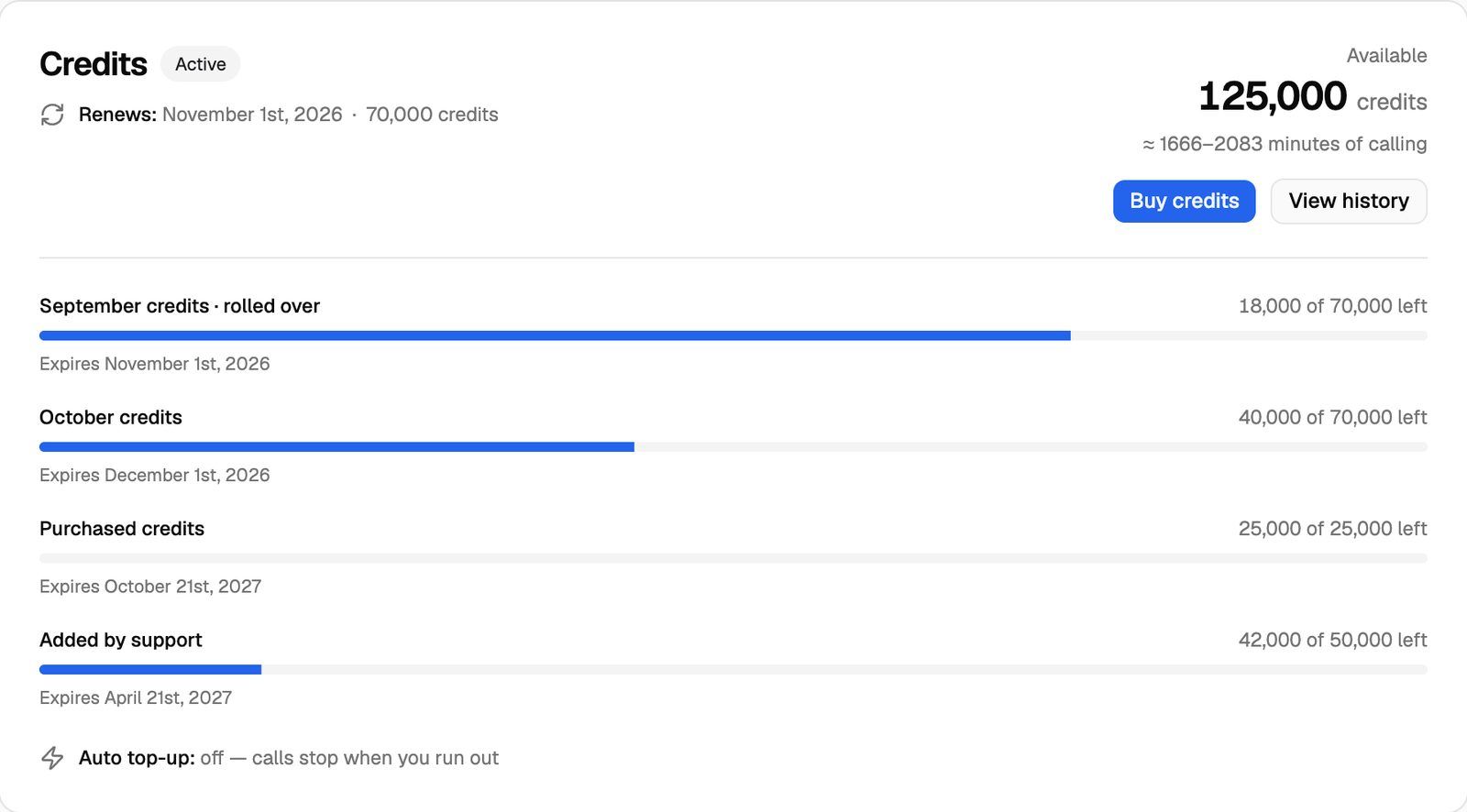
- The Credits card on Settings → Billing shows ≈ {low}–{high} minutes of calling under your balance. It's a rough range based on fixed assumptions, not on your agents' settings. For planning, rely on the per-minute figure you worked out in Step 3.
- Your real cost per minute. After a week of calls, open the VAW Native Pod Dashboard. The Credits per minute chart shows what you actually spent per minute of answered talk time. See The Pod Dashboard.
- Single calls. Compare a few real calls in Call Logs (the Credits column and the What ran tab) with your estimate.
Keep your costs predictable
- Cap call length. Maximum call length (5 minutes on new agents) and End call after silence (30 seconds on new agents) stop stuck calls and voicemail from running up minutes. See Call Settings: Recording, Silence Timeout and Maximum Call Length.
- Choose models deliberately. The voice model is usually the largest model line, and the voice models tagged Premium (Multilingual v2 and Eleven v3) cost twice as much per minute as the others.
- Attach a knowledge base only where it helps. It adds 5 credits per minute whether or not it's used.
- Watch for running out. When your balance runs out, new VAW Native calls are paused until you top up. See What Happens When You Run Out of Credits.
Frequently asked questions
How do I turn my estimate into a client price?
How do I turn my estimate into a client price?
Divide your monthly estimate by the minutes (or calls) you expect for that client to get your cost per minute (or per call), then add your margin. See Choose a Pricing Model.
Why are my real costs higher than my estimate?
Why are my real costs higher than my estimate?
The model and voice figures are estimates from typical calls. Long calls cost more per minute on the AI model line, because the whole conversation is sent to the model each turn, and agents that talk a lot cost more on the voice line. Check the What ran tab of a few calls to see which line is larger than you expected.
Do test calls count?
Do test calls count?
Yes. Test calls and test chats are real and are charged like any other. Include your testing time in the first month's estimate.
Related articles
Was this helpful?
Still need help? Share an idea