Web Widgets: Voice, Chat or Both
Put an agent on any web page so visitors can talk or chat with it. Learn the three modes, which engines support them and the two ways to create a widget.
Written By voiceaiwrapper
Last updated 26 days ago
A web widget puts one of your agents on any web page. Visitors click a button and either talk to the agent through their browser's microphone or type to it in a chat window. There's no phone number involved, so it's a quick way to add an always-on receptionist or support agent to a client's business website.
This article explains what a widget does, the three ways visitors can interact with it, and how to choose between the two ways of creating one.
Available on: plans that include Web widget. Without it, the widget screens show Feature Locked with an upgrade prompt.
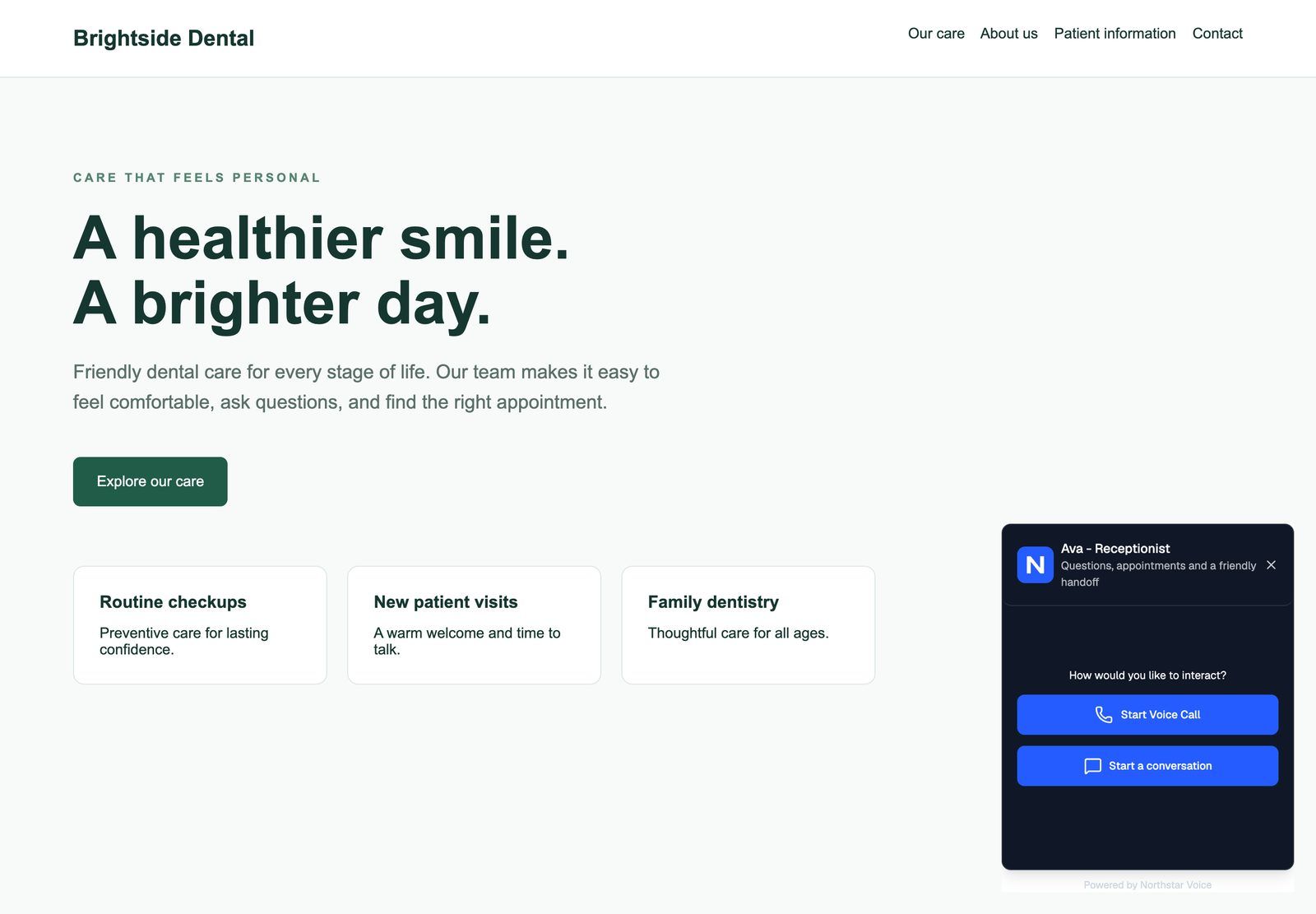
What visitors see
- A launcher on the page. It sits in a corner you choose. In the Card style it shows your logo, a title, a subtitle and a button. In the Compact style the whole widget is one clickable block.
- A consent notice (on by default). Visitors accept it once before their first conversation. See Add Consent and Legal Notices.
- A choice of voice or chat, if you turned both on.
- The conversation. A voice call runs in the browser after the visitor allows microphone access. A chat opens a message window.
Everything visitors see, from colours to button text, is yours to change in the widget builder. Nothing in the widget mentions VoiceAIWrapper unless you add it.
Interaction modes
You pick the mode under Interaction mode in the widget builder.
On VAW Native and ElevenLabs, a voice call can also show a live transcript and let the visitor type during the call. See Voice and Chat Settings.
Which engines support widgets
Two ways to create a widget
Both use the same builder, the same customisation options and the same embed code format. Pick the agent widget when you just want one VAW Native agent on a site. Pick a campaign when you're on a BYOK Pod (your own Vapi, Retell AI or ElevenLabs account), want separate voice and chat agents, or want campaign reporting.
You can also add a widget to an existing Inbound Phone campaign from its Web Widget tab, so one campaign answers both phone calls and web visitors.
If you created a VAW Native agent that answers calls in the onboarding wizard, and your plan includes Web widget, the wizard already added a widget to that agent. Open its Deploy → Widget sub-tab to customise and embed it.
What a widget conversation costs
Widget conversations are real calls and chats with your agent:
- VAW Native: every widget call and chat uses AI credits, the same as other conversations. Widget voice calls share the Pod's inbound lines with phone calls. Open widget chats have their own limit (Website chats) and don't use call lines. See How AI Credits Work.
- Vapi, Retell AI, ElevenLabs: the browser connects to your provider account, so usage is billed there like any other call.
Tests you run from the builder's Live Preview are real conversations too.
Frequently asked questions
Does a widget stop working when I pause or end its campaign?
Does a widget stop working when I pause or end its campaign?
No. A widget keeps taking conversations whatever its campaign's status (Draft, Paused or Ended). The one exception is a VAW Native campaign that's paused because of its client's billing. To take a widget offline, remove its embed code from the site or delete the campaign. See Clone, Edit and Delete Campaigns.
Visitors see "Our assistant isn't available right now. Please try again later."
Visitors see "Our assistant isn't available right now. Please try again later."
This is the message a VAW Native widget shows when a conversation can't start. Visitors are never told why. Common causes: your organization is out of AI credits, all the Pod's lines are busy, the agent's client is paused for billing, or your plan no longer includes Web widget. Check your credit balance first. See What Happens When You Run Out of Credits.
Can my clients edit their own widget?
Can my clients edit their own widget?
Yes, if you give them access. Clients can view or edit widgets in the client portal depending on the permissions you set for their workspace. See Set Client Permissions on VAW Native Workspaces.
Related articles
Was this helpful?
Still need help? Share an idea