Leads Event Webhook
Get a request when leads are added to a campaign, marked invalid during a call, or marked valid again, in batches of up to 1,000 leads.
Written By voiceaiwrapper
Last updated 26 days ago
The leads event webhook tells your system when a campaign's leads change: when leads are added, when a lead is marked invalid because its call couldn't be started, and when invalid leads are marked valid again. Use it to keep a CRM, a spreadsheet or a reporting tool in step with the campaign without exporting leads by hand.
Before you start
- A campaign in Draft or Paused. Settings are locked while a campaign is Active or Scheduled.
- A URL that accepts POST requests with a JSON body, such as a Make, n8n or Zapier webhook trigger, or your own server.
Set it up
- Open the campaign and go to the Settings tab → Webhooks and Emails.
- Paste your URL into Leads event webhook.
- Click Save Settings.
You can also fill it in at the Webhooks & email step when you create an outbound or inbound phone campaign.
To see a sample request for each event, click Check leads webhook event payloads. under the field.
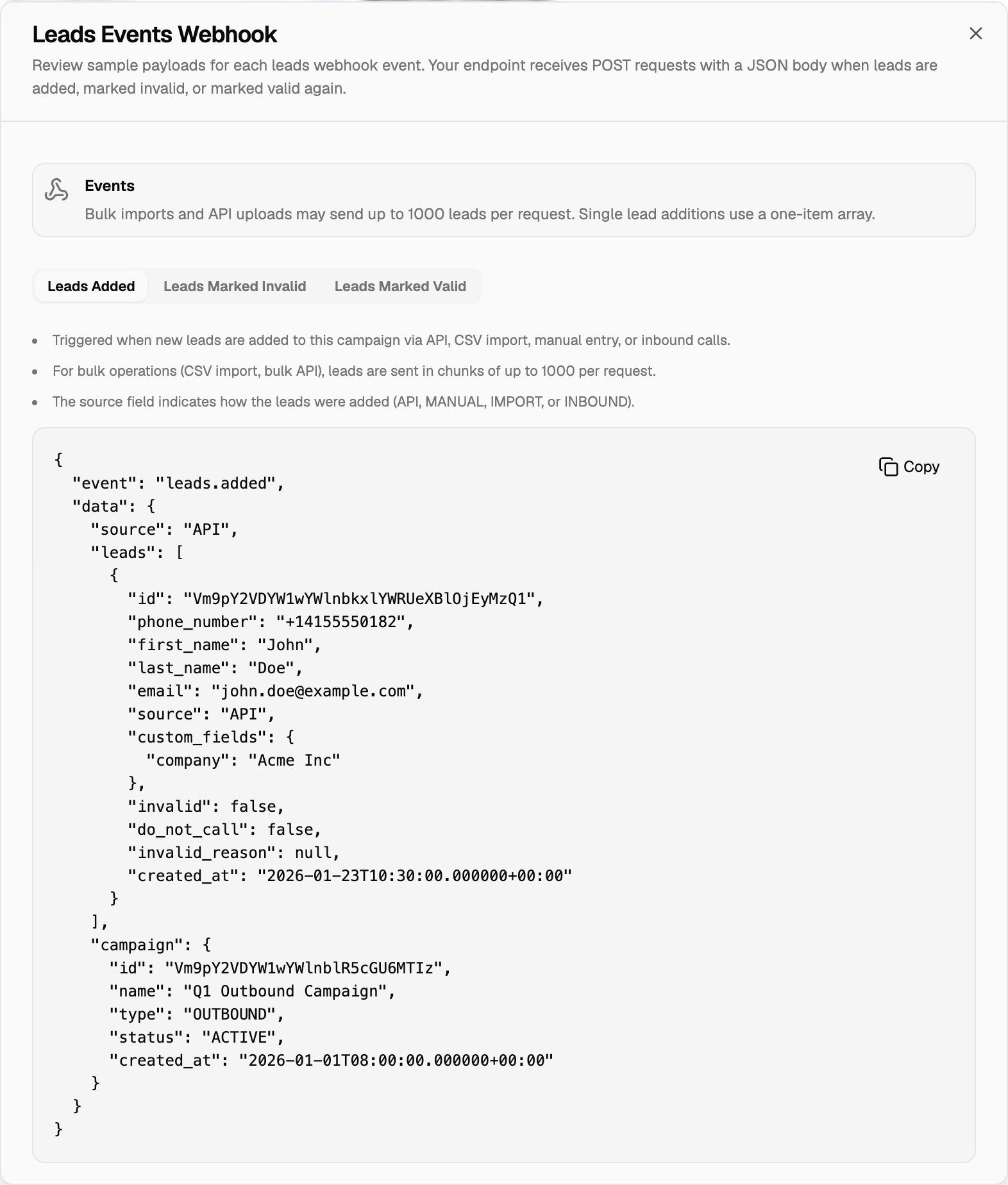
Events
Other changes, such as edits to a lead, call results or turning Do not call on or off, don't send a leads event. Call results go to the Post-Call Event Webhook.
What a request looks like
Every request is a POST with a JSON body: the event name, the leads, and the campaign they belong to.
{
  "event": "leads.added",
  "data": {
    "source": "API",
    "leads": [
      {
        "id": "Vm9pY2VDYW1wYWlnbkxlYWRUeXBlOjEyMzQ1",
        "phone_number": "+14155550182",
        "first_name": "John",
        "last_name": "Doe",
        "email": "john.doe@example.com",
        "source": "API",
        "custom_fields": { "company": "Acme Inc" },
        "invalid": false,
        "do_not_call": false,
        "do_not_call_reason": null,
        "invalid_reason": null,
        "created_at": "2026-01-23T10:30:00.000000+00:00"
      }
    ],
    "campaign": {
      "id": "Vm9pY2VDYW1wYWlnblR5cGU6MTIz",
      "name": "Q1 Outbound Campaign",
      "type": "OUTBOUND",
      "status": "ACTIVE",
      "created_at": "2026-01-01T08:00:00.000000+00:00"
    }
  }
}
leads.marked_invalid and leads.marked_valid have the same shape, without data.source. On an invalid lead, invalid_reason is an object whose message says what went wrong. Its wording depends on the engine and the error.
Each lead carries:
Batching
- A CSV import or a bulk API request sends leads in chunks of up to 1,000 per request.
- A single lead added on its own arrives straight away, as a one-item
leadsarray. leads.marked_validfrom a bulk action also arrives in chunks of up to 1,000.
Always loop over data.leads, even when you expect one lead.
How requests are delivered
- Headers:
Content-Type: application/jsonand anx-tenant-idheader that identifies your organization. This webhook has no Custom headers option, so protect your endpoint another way, for example with a hard-to-guess URL. - Wait time: up to 30 seconds.
- Retries: after a timeout, a connection error or a 5xx status, up to 3 more tries, a minute apart.
If you see "Looks like you are trying to add our webhook URL. This can create an infinite loop. Please use a different URL.", you pasted a VoiceAIWrapper address. Use your own endpoint instead.
Troubleshooting
I imported leads but got no request.
I imported leads but got no request.
Check that the URL is saved on that campaign (Settings → Webhooks and Emails → Leads event webhook) and that your endpoint accepts POST requests. Only leads that were actually added count: duplicates or rows rejected during the import aren't sent. See My Webhook Isn't Receiving Data.
An inbound caller didn't trigger leads.added.
An inbound caller didn't trigger leads.added.
It fires only when the inbound call creates a new lead. A caller who's already a lead in the campaign doesn't trigger it again.
How do I fix the leads marked invalid?
How do I fix the leads marked invalid?
Correct the lead's details, then select the leads in the Leads tab and use Bulk Actions → Mark Valid. That sends leads.marked_valid. See CSV Import Errors and Invalid Leads.
Related articles
Was this helpful?
Still need help? Share an idea