Overdue Payments and Grace Periods (External Billing)
How External billing handles late payments: due dates, grace periods, the Active, Past Due and Blocked statuses, what pauses, and how to restore a client.
Written By voiceaiwrapper
Last updated 26 days ago
With External billing, you collect payment yourself, so the webapp needs a rule for clients who don't pay on time. Two plan settings control it: Payment due (days) and Grace period (days). This article explains what happens on each date, what your client sees, and how to restore their access once they pay.
Beta: External Billing is marked Beta in the sidebar.
How the dates work
Each subscription payment request gets two dates, based on the plan's settings when the subscription started:
- Due date = the start of the billing period + Payment due (days).
- Grace ends = the due date + Grace period (days).
For example, on a monthly plan with Payment due (days) set to 3 and Grace period (days) set to 7, a period that starts on 1 March has a due date of 4 March and a grace period that ends on 11 March.
Both dates appear on the client's Billing → Payment Requests tab, as Due and Grace until.
What happens and when
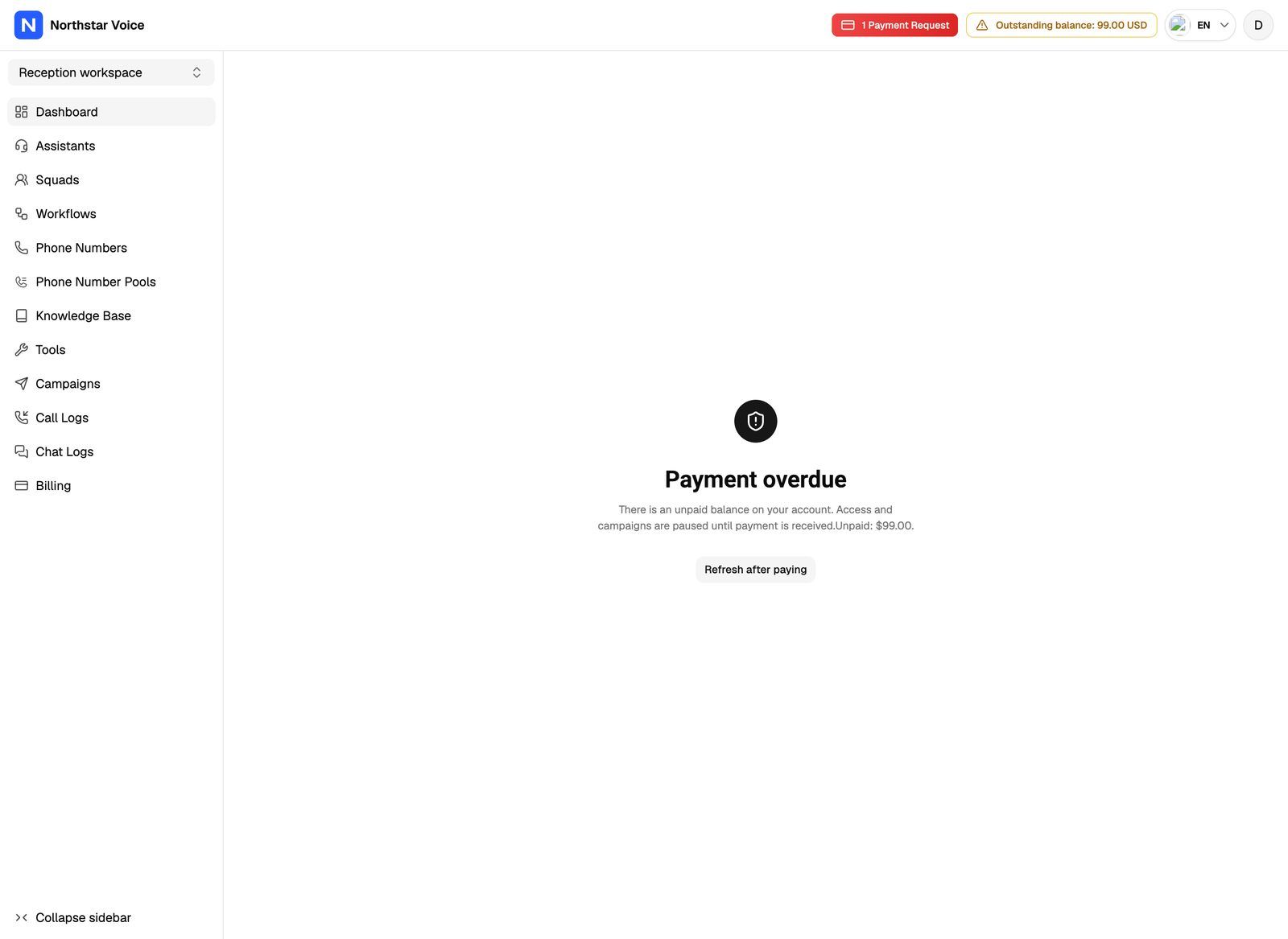
Access pauses on the due date, not after the grace period. As soon as a subscription payment is overdue, the client's portal is blocked and their campaigns pause. The grace period is the time you have to record the payment and restore everything automatically. After it ends, the subscription is Blocked and you have to restart it.
What "paused" means
While the subscription is Past Due or Blocked:
- The client can't use the portal. Every page is replaced by the overdue or suspended screen.
- Campaigns stop. Running campaigns change to paused, and scheduled campaigns go back to draft. Paused campaigns show a Paused due to billing badge.
- VAW Native agents stop taking new calls and chats outside campaigns. Callers get a busy signal. Calls already in progress finish.
- Agents on Vapi, Retell AI and ElevenLabs keep running outside campaigns. Only their campaigns pause.
- No minutes are counted against the subscription.
Usage packs never block a client
A usage pack payment request also becomes Overdue after its due date, but it never changes the subscription status or pauses anything. Grace periods only apply to subscription charges.
Where you see it
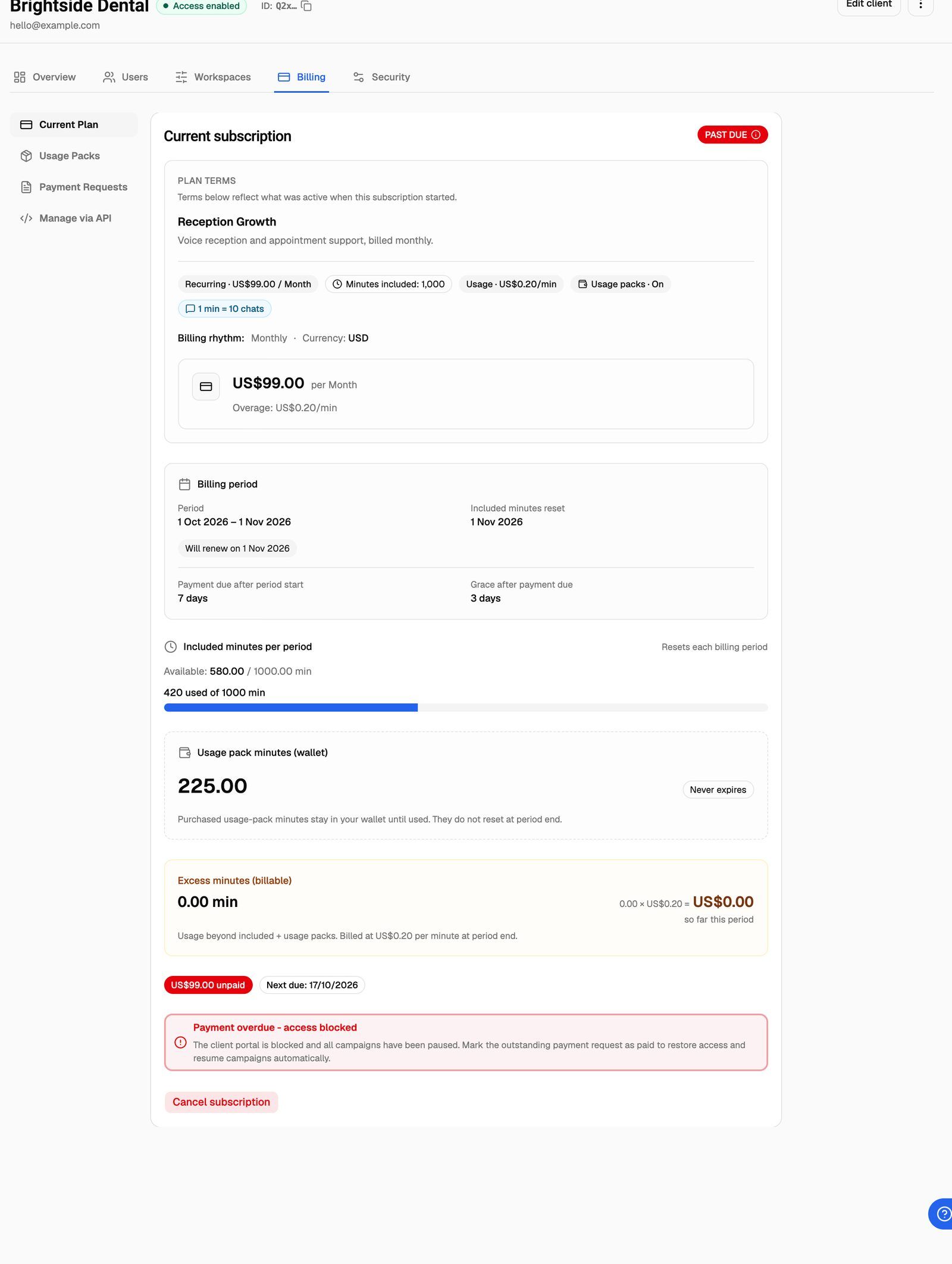
On the client's Billing → Current Plan tab, the Current subscription card shows the status badge and any unpaid amount:
- Past Due: "Payment overdue - access blocked", with a reminder to mark the outstanding payment request as paid.
- Blocked: "Subscription blocked - grace period expired", with a reminder to cancel and start a new subscription.
On Client Accounts, the client also shows a Billing paused badge.
Restore access after the client pays
If the status is Past Due
- Open the client's Billing → Payment Requests tab.
- Click Update status on each unpaid subscription request, choose Paid and click Save.
When no unpaid subscription requests are left, the subscription goes back to Active. The client's portal opens again (they can click Refresh after paying), and campaigns that were paused for billing resume, as long as the client has minutes left or their plan has a per-minute rate.
Mark every unpaid subscription request, not only the newest. The subscription stays Past Due while any of them is still Pending, Overdue or Failed.
If the status is Blocked
Marking the payment as paid isn't enough once the grace period has ended. You need to restart the subscription:
- On Current Plan, click Cancel subscription and confirm. This removes the blocked subscription and its usage tracking. The payment request history stays.
- Click Start subscription to start a new one (or let the client click Subscribe in their portal). This begins a new billing period and, if the plan has a recurring amount, a new payment request.
- On Payment Requests, mark the request the client paid as Paid. This resumes the campaigns that were paused for billing, as long as the client has minutes available on the new subscription (or the plan has a per-minute rate).
Cancelling resets the client's included minutes and usage-pack wallet. Any usage-pack minutes left in the wallet are lost. This can't be undone.
Frequently asked questions
How do I give a client more time to pay?
How do I give a client more time to pay?
Set a longer Payment due (days) or Grace period (days) on the plan. This only affects subscriptions started after the change; existing subscriptions keep the terms they started with. There's no way to extend the dates on a single request.
Can I mark a payment as paid automatically?
Can I mark a payment as paid automatically?
Yes, with the External Billing API. Your system can update a payment request to paid as soon as you receive the money. See Automate External Billing with the API.
The client paid, I marked it Paid, but campaigns are still paused.
The client paid, I marked it Paid, but campaigns are still paused.
Check two things. First, that no other subscription request is still unpaid. Second, that the client has minutes: if their included and usage-pack minutes are used up and the plan has no per-minute rate, campaigns stay paused until you apply a usage pack and mark it Paid.
What does the client see if I disable their account?
What does the client see if I disable their account?
They can't log in. The login page tells them their account has been disabled and to contact their provider. If they're already logged in, they lose access straight away. See Enable, Disable or Delete a Client.
Related articles
Was this helpful?
Still need help? Share an idea