How Campaign Cleanup Works
Campaigns with no activity for 30 or 45 days are marked, then deleted 30 days later. How to see them, snooze them or save them for good.
Written By voiceaiwrapper
Last updated 26 days ago
Campaigns that sit unused for a long time are cleaned up automatically. A campaign is first marked as inactive, and you then get at least 30 days to act before it's deleted. Any real activity on the campaign, such as an edit, a new lead, a call or a chat, cancels the countdown.
This article explains when a campaign is marked, how to keep it, and what is removed if you don't.
The short version
- A campaign is marked after 30 days without activity. Active or paused campaigns that have leads get 45 days.
- Deletion is scheduled 30 days after the campaign is marked.
- You can snooze the deletion twice, 30 days each time.
- Any activity removes the mark, and the clock starts again from zero.
If you do nothing, a campaign is deleted roughly 60 days after its last activity (about 75 days for an active or paused campaign with leads). With both snoozes used, that stretches to roughly 120 days (about 135).
When a campaign is marked
A scan runs once a day and marks campaigns that have gone longer than the limit for their status without activity:
Being marked doesn't change how the campaign runs. It only starts the countdown to deletion.
What counts as activity
The most recent of these counts as the campaign's last activity:
- Saving a change to the campaign, including changing its status
- Adding a lead
- A call logged on the campaign
- A chat logged on the campaign
This works the same on every Pod (an engine or provider connection), including VAW Native. Opening or viewing a campaign doesn't count.
How you're told
When campaigns are marked, you'll see them in several places:
- Email. The organization's owners and admins get an email on the day campaigns are marked, with the number of campaigns and a link to the webapp.
- Alert banner. A banner at the top of the page reads, for example, 2 campaigns need your attention. Click Review campaigns to go to the Account Dashboard.
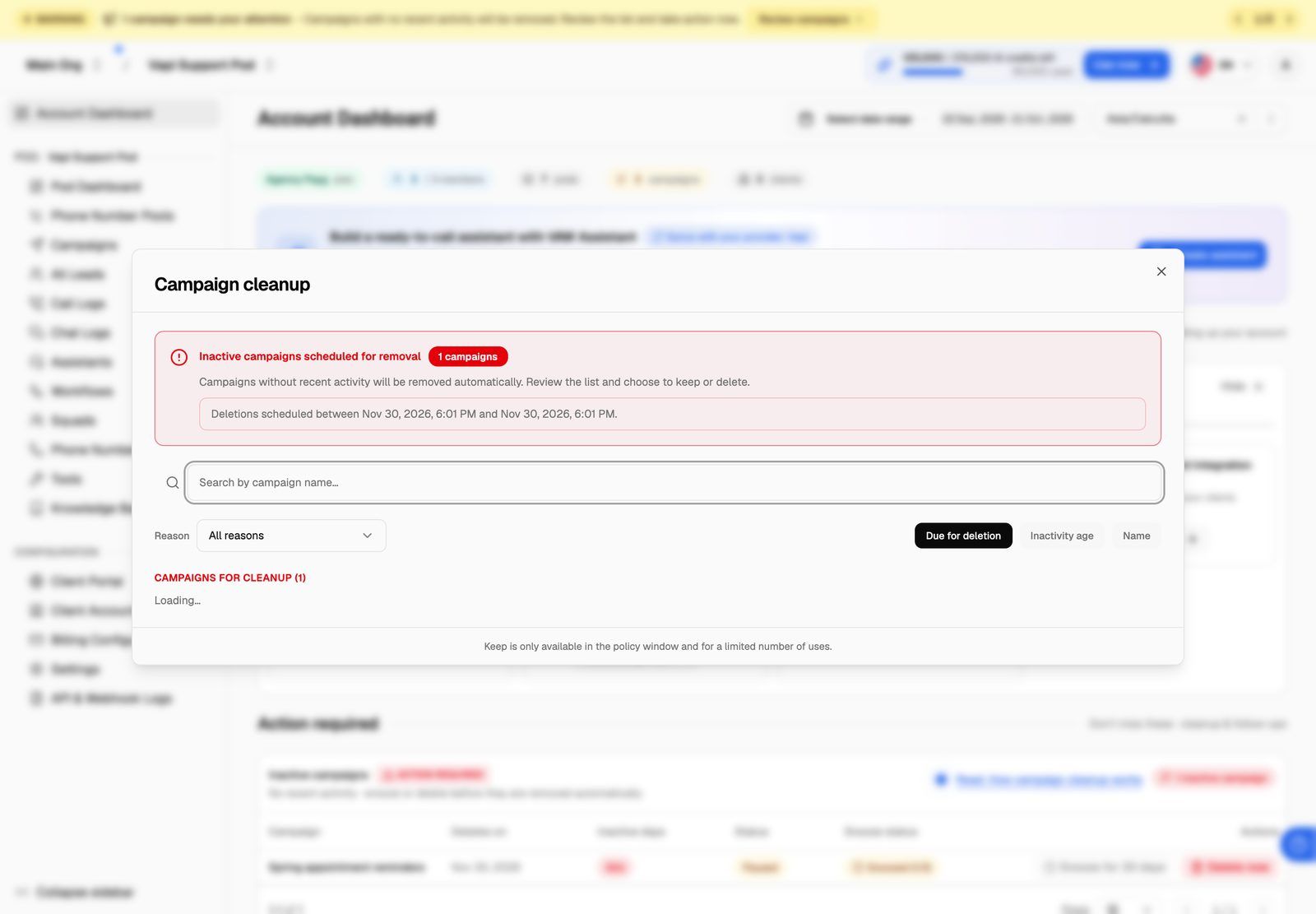
- Campaign cleanup dialog. Once a day, after you've had the webapp open for about a minute, the Campaign cleanup dialog opens on its own with the full list.
- Dashboards. The Account Dashboard and each Pod Dashboard show an Inactive campaigns card under Action required.
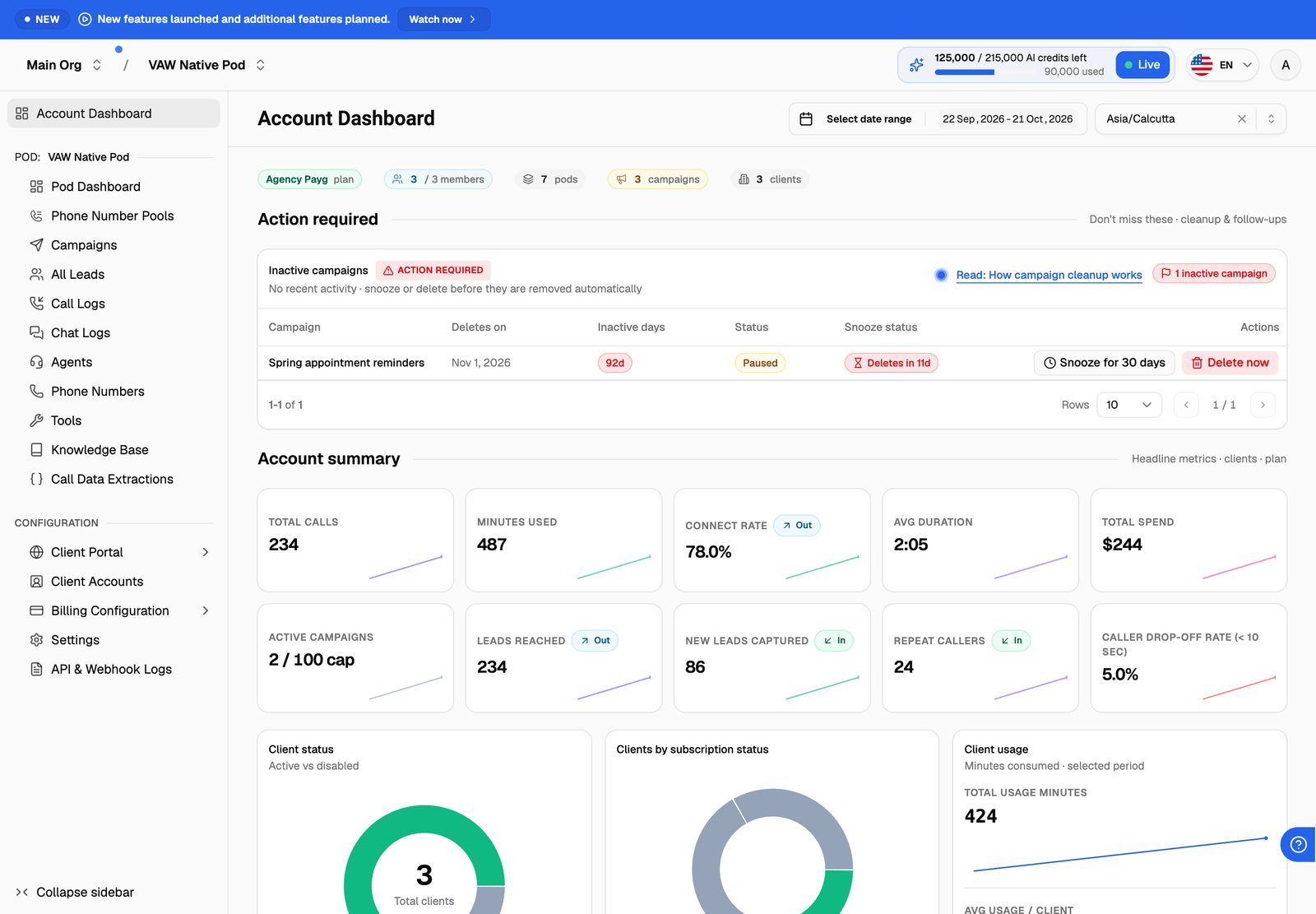
The Deletes on column shows the scheduled deletion date in your local time. Deletion runs every few hours, so a campaign can still be there for a few hours after that time.
Three ways to save a marked campaign
- Use the campaign. Edit it, add a lead, or let it take a call or chat. Marked campaigns are rechecked every hour, and any activity after the mark removes it. This is the only way to save a campaign for good.
- Snooze it. Click Snooze for 30 days in the Inactive campaigns card or the Campaign cleanup dialog. This pushes the deletion date out by 30 days. You'll see Deletion postponed.
- Last-day safety net. If the campaign has activity on the same day it's due to be deleted (UTC), the deletion is cancelled and the mark is removed.
How snoozing works
- You can snooze each campaign twice. The dashboard's Snooze status column (Snooze count in the dialog) shows how many you've used, for example Snoozed (1/2).
- Snoozing only postpones deletion. The campaign stays on the list until it has real activity.
- The button is only available in the last 30 days before the deletion date. You can use the first snooze right away. After that, the deletion date is 60 days out, so the button is greyed out until 30 days remain. In the Campaign cleanup dialog, hover over the button to see the date it unlocks.
- When both snoozes are used, the campaign is deleted on the date shown unless it has activity first.
Delete a campaign early
If you don't need a marked campaign, click Delete now. In the Delete voice campaign box, click Delete to confirm. The campaign is deleted straight away.
What gets deleted
Deletion is permanent and can't be undone. Export the leads and logs you need before the deletion date, or snooze the campaign while you decide.
When a campaign is deleted, either automatically or with Delete now, these are removed:
- The campaign and its settings
- All of the campaign's leads
- The campaign's web widget, if it has one
- The campaign's call logs and chat logs for Vapi, Retell AI and ElevenLabs Pods
- Lead, call log and chat log exports made from the campaign
- The campaign's assignment to any client accounts
These are not affected:
- Your agents, phone numbers and Pods
- Your other campaigns
- VAW Native call and chat records. They stay in the Pod's Call Logs and Chat Logs, no longer linked to a campaign.
- Recordings stored in your own Vapi, Retell AI or ElevenLabs account
Examples
Frequently asked questions
Will marking a campaign stop it from running?
Will marking a campaign stop it from running?
No. A marked campaign keeps running exactly as before until it's either saved or deleted.
Can I get a deleted campaign back?
Can I get a deleted campaign back?
No. Deletion is permanent. Export what you need before the deletion date. See Export Leads and Export Call and Chat Logs.
The snooze button is greyed out.
The snooze button is greyed out.
Either you've already used both snoozes, or the deletion date is more than 30 days away. In the Campaign cleanup dialog, hover over the button to see which, and the date it unlocks. To save the campaign without snoozing, make any change to it or add a lead.
I snoozed a campaign but it's still on the list.
I snoozed a campaign but it's still on the list.
That's expected. Snoozing moves the deletion date but doesn't remove the mark. The campaign leaves the list once it has real activity.
Who gets the email?
Who gets the email?
The owners and admins of your organization. Members don't get it, but anyone who signs in sees the banner and the dashboard card.
Related articles
Was this helpful?
Still need help? Share an idea