Provider Knowledge Bases and Tools in VoiceAIWrapper
See the knowledge bases and tools in your Vapi, Retell AI or ElevenLabs account from VoiceAIWrapper, and learn where to change them in each provider.
Written By voiceaiwrapper
Last updated 26 days ago
When you connect your own Vapi, Retell AI or ElevenLabs account, VoiceAIWrapper shows the knowledge bases and tools that already live there. You can check what an agent has to work with, copy IDs, and share the lists with clients, without switching dashboards.
These pages are read-only. You create and edit knowledge bases and tools in the provider's own dashboard. VoiceAIWrapper reads the lists from your provider account each time you open the page, so you always see the current version. The one exception is Add Tool, which creates booking tools for you.
Applies to: Vapi, Retell AI and ElevenLabs Pods (an engine or provider connection). VAW Native has its own knowledge bases and tools that you build and edit in VoiceAIWrapper. See How Knowledge Bases Work.
Where to find them
- In the sidebar, switch to your Vapi, Retell AI or ElevenLabs Pod.
- Open Knowledge Base or Tools.
Retell AI Pods have Knowledge Base but no Tools page.
Knowledge bases
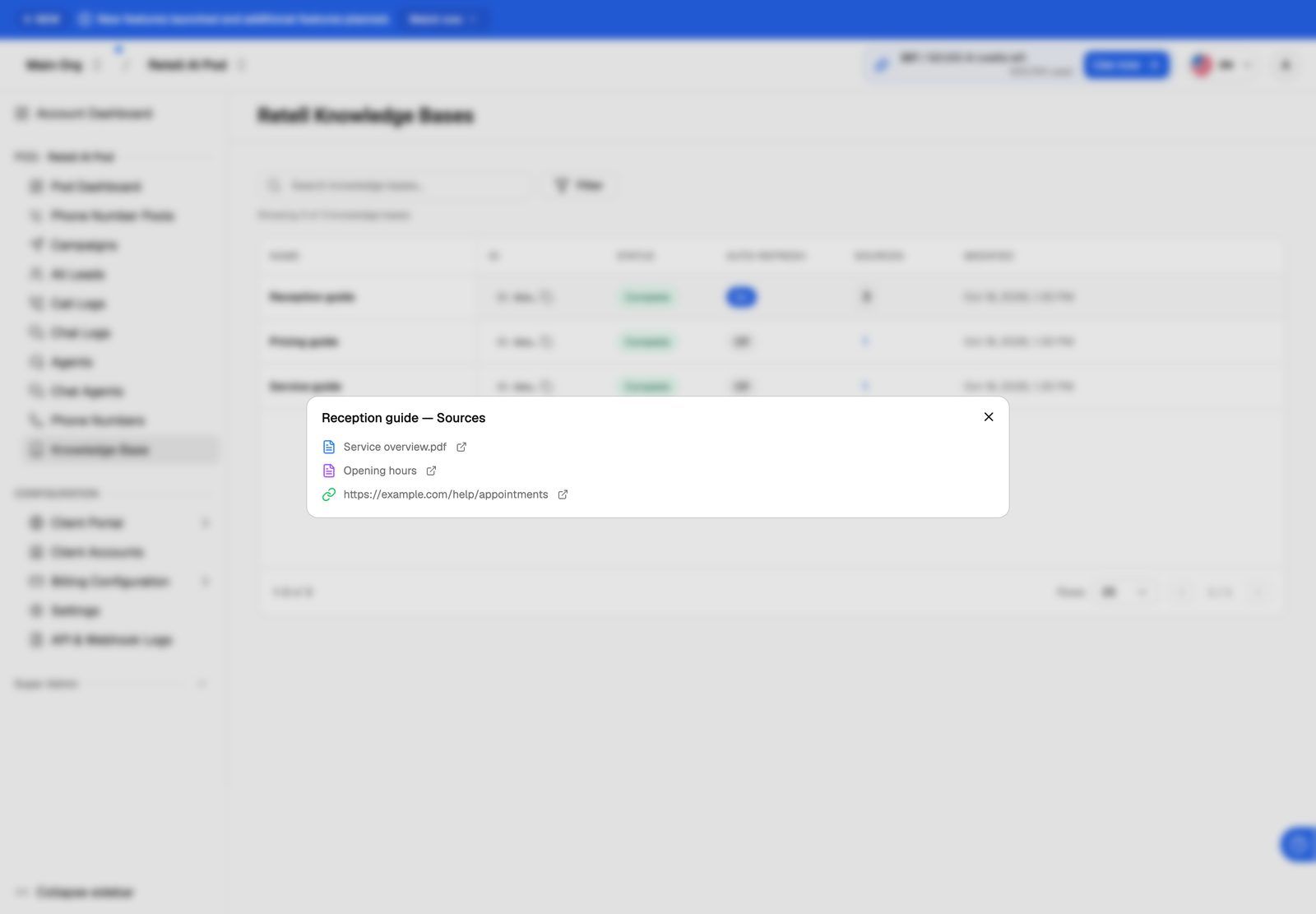
Each provider stores knowledge differently, so the page looks a little different on each:
Every page has a search box, a filter button, and a copy button next to each ID. The line under the search box shows how many match, for example "Showing 2 of 5 knowledge bases". An empty Vapi page says No Files found; an empty Retell AI or ElevenLabs page says No knowledge bases found.
Change a knowledge base
Add, replace or delete knowledge in the provider's dashboard, then attach it to your agent there:
- Vapi: manage files in your Vapi dashboard. The Update link on each row opens that file there.
- Retell AI: manage knowledge bases and their sources in your Retell dashboard, then attach them to the agent.
- ElevenLabs: manage documents in your ElevenLabs dashboard's knowledge base, then add them to the agent.
Come back to VoiceAIWrapper and reload the page to see the change.
Tools
Search with Search by name, ID, or description, or use the filter button. The line under the search box shows how many tools match, for example "Showing 4 of 12 tools". If nothing matches, you'll see No tools found.
Add Tool is the one thing you can create here. It builds ready-made booking tools in your provider account. See Add Booking Tools to Vapi and ElevenLabs Agents.
Change a tool
The Vapi page's subtitle mentions adding, editing and deleting, but editing and deleting happen in your provider. To change any tool, including ones made with Add Tool:
- Vapi: edit or delete tools in your Vapi dashboard, and attach them to an assistant there.
- ElevenLabs: edit or delete tools in your ElevenLabs dashboard, and add them to an agent there.
- Retell AI: tools (Retell calls them functions) belong to each agent. Add or edit them on the agent in your Retell dashboard.
Building a new agent? VAW Assistant can set up Cal.com or GoHighLevel booking for you on Vapi, Retell AI and ElevenLabs. On Vapi and ElevenLabs, its Tools step can also attach tools you already have, under Attach existing tools from your Vapi account (or ElevenLabs account). See Build a Provider Agent with VAW Assistant.
Show knowledge bases and tools to clients
You can share a Pod's knowledge bases and tools with a client's workspace. Assign them when you set up the workspace, then set Knowledge Base and Tools to View Only. Each one offers only No Access or View Only. Retell AI workspaces have no Tools setting, since Retell AI Pods have no Tools page. On some providers, clients see fewer columns than you do. On Vapi, clients can download knowledge base files but don't get the Update link. See Set Client Permissions on Vapi, Retell and ElevenLabs Workspaces.
Older Bolna and Ultravox Pods
If you still use a Bolna or Ultravox Pod, it has a read-only Knowledge Base page too. Bolna lists files by RAG ID; Ultravox lists corpora with their Corpus ID, Documents and Chunks. Ultravox Pods also have a read-only Tools page, without Add Tool. See Bolna and Ultravox Pods (Legacy).
Frequently asked questions
I added a knowledge base or tool in my provider, but it isn't showing.
I added a knowledge base or tool in my provider, but it isn't showing.
Reload the page. VoiceAIWrapper reads the list from the provider account connected to this Pod, so also check that you added it in that same account. If you have several Pods for the same provider, make sure you're in the right one.
The page shows an error, or is empty when it shouldn't be.
The page shows an error, or is empty when it shouldn't be.
VoiceAIWrapper couldn't read from your provider. This usually means the Pod's API key was changed or deleted in the provider. Update the key on the Pod, then reload. See Manage Pods: Rename, Update Keys, Switch and Delete.
Can I upload files to a provider knowledge base from VoiceAIWrapper?
Can I upload files to a provider knowledge base from VoiceAIWrapper?
No. Upload them in your provider's dashboard. If you want to manage knowledge entirely inside VoiceAIWrapper, use a VAW Native Pod. See Create a Knowledge Base and Upload Files.
Related articles
Was this helpful?
Still need help? Share an idea