Set the Schedule and Calling Window
Choose the dates, time zone, days and daily hours a campaign may call or answer, and read the calling status shown next to the campaign name.
Written By voiceaiwrapper
Last updated 26 days ago
A campaign's schedule decides when it may work. For an outbound campaign, it's when calls can go out. For an inbound campaign, it's the hours the agent answers the line. You set the dates the campaign runs, its time zone, the days of the week, and a daily calling window.
The schedule applies to Outbound Phone and Inbound Phone campaigns. It doesn't apply to:
- Inbound campaigns on ElevenLabs and Bolna. Your provider answers the number at all times, so there's no schedule.
- Web widgets. A campaign's widget is always on. The campaign header shows Widget Channel as Always Active.
Where to set the schedule
- When you create a campaign: the wizard's Schedule step. See Create a Campaign with the Campaign Wizard.
- Later: open the campaign, go to the Settings tab and select Schedule. Make your changes, then click Save Settings.
Settings are locked while the campaign is scheduled or active, and you'll see "Settings are locked in the current campaign status." If it's active, click Pause Campaign first. If it's scheduled, click Move to Draft.
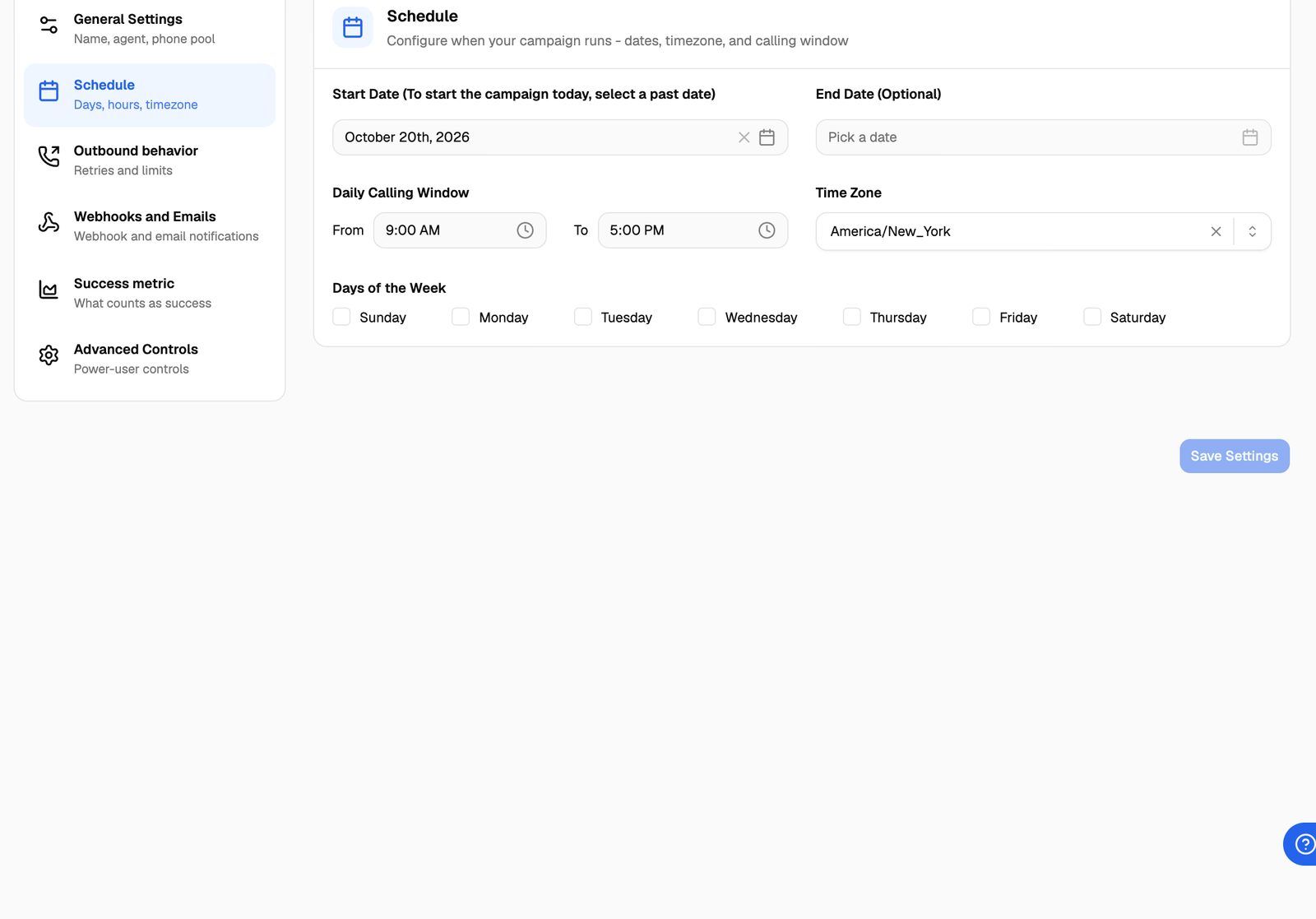
The schedule fields
Start date
The campaign's start moment is the Start Date at the From time, in the campaign's time zone. When you click Activate Campaign or Schedule Campaign:
- If the start moment has already passed, the campaign becomes Active immediately.
- If it's still ahead, the campaign is Scheduled and becomes Active by itself at that moment.
That's why the field says "To start the campaign today, select a past date". If you pick today and the window has already opened, the campaign also starts immediately.
End date
Leave End Date (Optional) empty to run the campaign until you pause it. The date picker lets you pick today, but saving today's date usually shows "End Date cannot be in the past", so pick tomorrow at the earliest.
If you set one, the campaign ends by itself when that day's calling window closes, and its status changes to Ended. An ended campaign no longer calls or answers. To use it again, click Reactivate Campaign: this removes the end date and moves the campaign to paused, so you can resume it.
Daily calling window
The From and To times are picked in 12-hour format (for example 9:30 AM). On every scheduled day:
- Outbound campaigns only start calls between From and To.
- Inbound campaigns only answer through the campaign between From and To.
The window has to start and end on the same day, so it can't run past midnight. If you see "End Time cannot be less than or equal to Start Time", make To later than From.
Time zone
The dates, the window and the days are all read in the campaign's Time Zone, not in yours or your client's. A campaign set to 9:00 AM to 5:00 PM in America/New_York calls between those times in New York, wherever you are.
Set the time zone to where the people you're calling (or who are calling you) are. If your leads are spread across time zones, consider one campaign per region.
Days of the week
Tick the days the campaign may work. On other days, outbound campaigns don't call and inbound campaigns don't answer through the campaign.
What happens outside the schedule
See Run an Outbound Phone Campaign and Run an Inbound Phone Campaign.
Calling status messages
The Calling Status pill next to the campaign name shows what the campaign is doing right now, worked out in the campaign's time zone. It isn't shown for ElevenLabs and Bolna inbound campaigns.
Troubleshooting
The campaign isn't calling, but it's within my business hours.
The campaign isn't calling, but it's within my business hours.
Check the Time Zone on the Settings tab → Schedule. The window is read in the campaign's time zone. If it's set to a different zone from yours, the window opens at a different local time.
I want the campaign to start right now.
I want the campaign to start right now.
Set Start Date to a past date, then click Activate Campaign. If the campaign is already scheduled, click Move to Draft first, change the date and click Save Settings.
I need a window that runs past midnight.
I need a window that runs past midnight.
A calling window can't cross midnight, so one campaign can't cover, for example, 8:00 PM to 2:00 AM. The closest you can get is to end the window at 11:59 PM. Minutes can be picked one at a time.
Related articles
Was this helpful?
Still need help? Share an idea