From Business Website to Working Agent in Minutes
What VAW Assistant, the AI Agent Builder, sets up for you from a business website, what it costs in credits, and its daily limits.
Written By voiceaiwrapper
Last updated 26 days ago
Writing a voice agent from a blank page takes time. On VAW Native, VAW Assistant (the AI Agent Builder) does that first draft for you. You give it a business website, check what it found, answer six short questions, and it creates an agent you can test straight away.
Reading the site usually takes about a minute, and creating the agent under a minute.
Applies to: VAW Native Pods (an engine or provider connection). Start it from Agents → New agent → Create using VAW Assistant. For the full walkthrough, see Create an Agent with the AI Agent Builder. Vapi, Retell AI and ElevenLabs Pods have a separate VAW Assistant that writes the agent into your provider account. See Build a Provider Agent with VAW Assistant.
What the builder does for you
- Reads the business website. It reads the homepage and up to 9 pages the homepage links to. It skips pages such as privacy policies, login pages and blog posts.
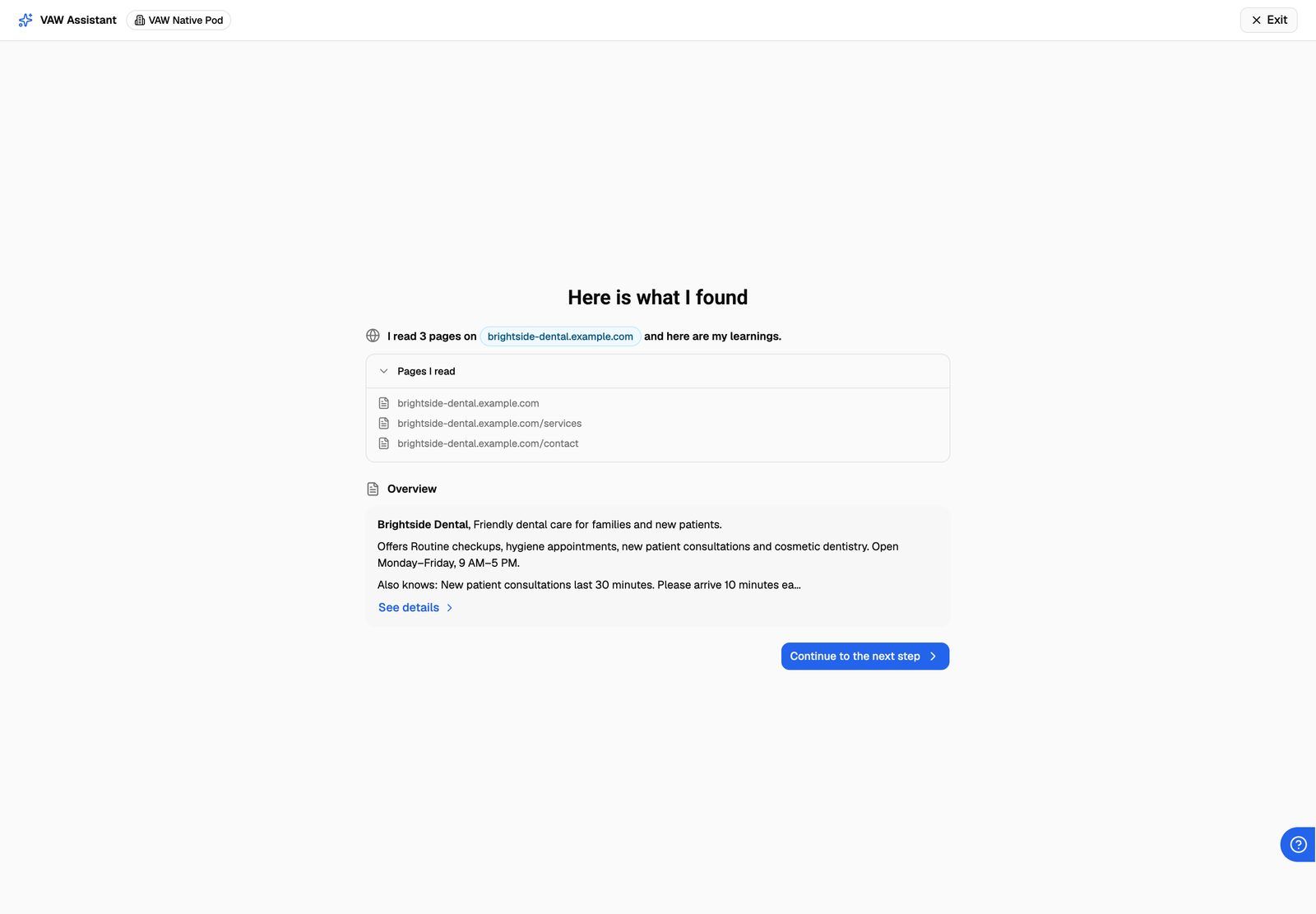
- Drafts the business details. Here is what I found lists the pages it read and an overview. See details opens ten fields you can correct, such as services and prices, opening hours and contact details.
- Asks six questions. Will the agent answer or make calls? What should it do (with jobs suggested for the business's industry)? What should it find out? What should it never do? Which language? And its name, voice and tone.
- Offers knowledge and tools. Optionally add the whole business website, files, pasted text or a knowledge base the Pod already has. You can also add Cal.com booking, your own HTTP tool, a tool the Pod already has, transfers or texts.
- Shows you the plan. Let's set up {name} sums up your answers and the sentence after A call is considered successful when. Change anything, then click Create my agent.
- Creates the agent. Training your agent shows each part as it's set up.
What you end up with
When it finishes, the agent's page opens with "{agent} is ready. Try a test call." Everything the builder wrote stays editable. See Test Your Agent: Web Calls, Phone Calls and Chat.
Limits and credit use
- 30 reads and 30 agent creations a day per organization, and one read at a time.
- 5 minutes to read a business website and 5 minutes to create the agent. After that, the step fails and you can try again.
- Credits. Each AI step is charged at what its AI model costs, with no platform fee, and appears in your credit history as VAW Assistant · {website}. Credits already used aren't refunded if you start over. Builds run during new-account onboarding aren't charged. If you're out of credits, the builder asks you to top up in Billing before it reads the site or creates the agent.
- After it's built, calls on the agent use credits like any VAW Native call. If the builder attached a knowledge base, each call minute also carries the knowledge base fee: $0.005 × 1,000 = 5 credits per minute. See What a Call Costs on VAW Native.
No business website? Choose Start blank on the New agent sheet instead. See Create an Agent from Scratch.
Related articles
Was this helpful?
Still need help? Share an idea